
4.2k Views
1.3k Executions
Chroma Orbit GUI
Universal Script 📌
SkelePublished 5
1 year ago
Please login to perform these actions:Does it work?
No reports yetNo reports yet. Tried it? Be the first to say.
Also noticed:
Description
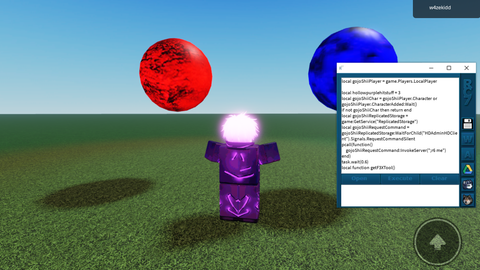
Features: • Orbits the nearest player with the speed of 500. ———————————— How do I change the speed?: Since the script is Open Sourced, you can easily change the orbit speed by modifying this line near the top of the script: local orbitSpeed = 500
local Players = game:GetService("Players")
local RunService = game:GetService("RunService")
local player = Players.LocalPlayer
local camera = workspace.CurrentCamera

local orbiting = false
local orbitSpeed = 500
local orbitRadius = 3
local orbitConnection
local currentTarget
local humanoidRootPart

local function rainbow()
	return Color3.fromHSV((tick() * 0.5) % 1, 1, 1)
end

local function getNearestTarget()
	local nearest = nil
	local minDist = math.huge
	if not humanoidRootPart then return end
	for _, p in pairs(Players:GetPlayers()) do
		if p ~= player and p.Character and p.Character:FindFirstChild("HumanoidRootPart") then
			local dist = (humanoidRootPart.Position - p.Character.HumanoidRootPart.Position).Magnitude
			if dist < minDist then
				minDist = dist
				nearest = p.Character.HumanoidRootPart
			end
		end
	end
	return nearest
end

local function toggleOrbit()
	orbiting = not orbiting
	if orbiting then
		currentTarget = getNearestTarget()
		if currentTarget then
			if orbitConnection then orbitConnection:Disconnect() end
			orbitConnection = RunService.RenderStepped:Connect(function()
				if not humanoidRootPart or not humanoidRootPart.Parent then return end






a good gui silly to