693 Views
299 Executions
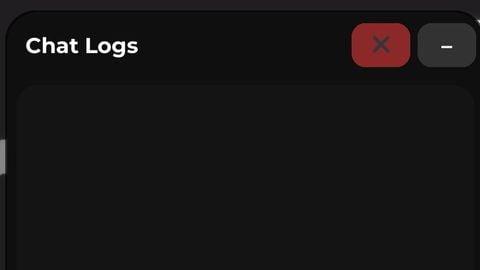
Chat logs player
Universal Script 📌
OnlyThePowerPublished 10
11 months ago
Please login to perform these actions:Does it work?
No reports yetNo reports yet. Tried it? Be the first to say.
Also noticed:
Description
You can also see people who use text box or command bar...
local Players = game:GetService("Players")
local UIS = game:GetService("UserInputService")

local player = Players.LocalPlayer

local gui = Instance.new("ScreenGui")
gui.Name = "ChatLogs"
gui.ResetOnSpawn = false
gui.Parent = player:WaitForChild("PlayerGui")

local main = Instance.new("Frame", gui)
main.Size = UDim2.new(0,260,0,300)
main.Position = UDim2.new(0.05,0,0.25,0)
main.BackgroundColor3 = Color3.fromRGB(15,15,15)
main.BorderSizePixel = 0
Instance.new("UICorner", main).CornerRadius = UDim.new(0,16)
local stroke = Instance.new("UIStroke", main)
stroke.Transparency = 0.3

local header = Instance.new("Frame", main)
header.Size = UDim2.new(1,0,0,36)
header.BackgroundTransparency = 1

local titleLabel = Instance.new("TextLabel", header)
titleLabel.Size = UDim2.new(0.6,0,1,0)
titleLabel.Position = UDim2.new(0,10,0,0)
titleLabel.BackgroundTransparency = 1
titleLabel.Text = "Chat Logs"
titleLabel.TextColor3 = Color3.new(1,1,1)
titleLabel.Font = Enum.Font.GothamBold
titleLabel.TextSize = 14
titleLabel.TextXAlignment = Enum.TextXAlignment.Left

local clearBtn = Instance.new("TextButton", header)
clearBtn.Size = UDim2.new(0,32,0,24)
clearBtn.Position = UDim2.new(1,-72,0.5,-12)
clearBtn.Text = "✖"
clearBtn.BackgroundColor3 = Color3.fromRGB(140,40,40)
clearBtn.TextColor3 = Color3.new(1,1,1)
clearBtn.BorderSizePixel = 0
Comments
0Log in to join the conversation. Login
No comments yet. Be the first!