1.3k Views
359 Executions
Cameras Script
Universal Script 📌
ScriptsMakerFirst script
4 months ago
Please login to perform these actions:Does it work?
Early reports0% say it works · 1 report in the last 2 weeks
Why it doesn't work Errors or does nothing 1
Also noticed:
Description
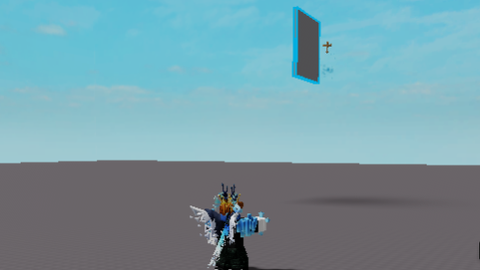
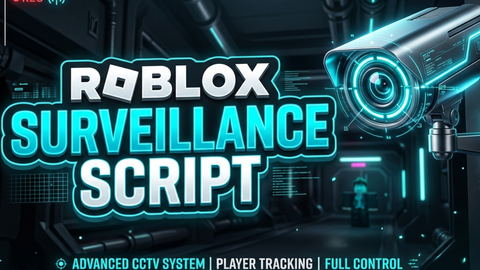
Place your cameras and change between those! no limit for cameras TUT Move your character to the location you want to monitor. Adjust your camera to the desired angle (works in third-person view). Click "+ Create Camera" to save your view. Use the list to toggle between your cameras.
local Players = game:GetService("Players")
local Workspace = game:GetService("Workspace")

local player = Players.LocalPlayer
local camera = Workspace.CurrentCamera
local playerGui = player:WaitForChild("PlayerGui")

-- Настройки стиля
local BG_COLOR = Color3.fromRGB(25, 25, 25)
local ACCENT_COLOR = Color3.fromRGB(50, 50, 50)
local VIEW_COLOR = Color3.fromRGB(80, 50, 50)
local TEXT_COLOR = Color3.new(1, 1, 1)

-- Создание GUI
local screenGui = Instance.new("ScreenGui", playerGui)
screenGui.Name = "CameraSystemGUI"

local mainFrame = Instance.new("Frame", screenGui)
mainFrame.Size = UDim2.new(0, 200, 0, 300)
mainFrame.Position = UDim2.new(0.02, 0, 0.3, 0)
mainFrame.BackgroundColor3 = BG_COLOR
mainFrame.BorderSizePixel = 0
mainFrame.Active = true
mainFrame.Draggable = true

local corner = Instance.new("UICorner", mainFrame)
corner.CornerRadius = UDim.new(0, 10)

-- Заголовок
local title = Instance.new("TextLabel", mainFrame)
title.Text = "Camera System"
title.Size = UDim2.new(1, 0, 0, 40)
title.BackgroundTransparency = 1
title.TextColor3 = TEXT_COLOR
title.Font = Enum.Font.GothamBold
title.TextSize = 18

-- Кнопка создания
local addBtn = Instance.new("TextButton", mainFrame)
addBtn.Text = "+ Create Camera"
Comments
0Log in to join the conversation. Login
No comments yet. Be the first!