
915 Views
4.4k Executions
COOL GUI TRY IT
Universal Script 📌
Helloboy10K executions
10 months ago
Please login to perform these actions:Does it work?
No reports yetNo reports yet. Tried it? Be the first to say.
Also noticed:
Description
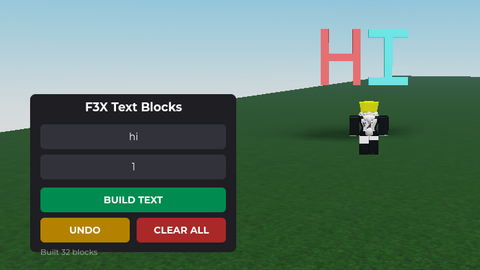
Soooo I saw someone that made a cool gui where you can take the script and add things to it and I thought of why don't I make a cool gui also but you guys in the amazing script blox community tell me what to add or improve to the gui and for you guys to do that yall just gotta say it in the comments anyone at all
local UserInputService = game:GetService("UserInputService")
local RunService = game:GetService("RunService")
local Players = game:GetService("Players")
local Workspace = game:GetService("Workspace")

local player = Players.LocalPlayer
local camera = Workspace.CurrentCamera

-- 1. UI CREATION
local screenGui = Instance.new("ScreenGui")
screenGui.Name = "CoolGui"
screenGui.ResetOnSpawn = false
screenGui.Parent = player:WaitForChild("PlayerGui")

-- Toggle Button (Draggable preference handled below)
local toggleBtn = Instance.new("TextButton")
toggleBtn.Size = UDim2.new(0, 60, 0, 40)
toggleBtn.Position = UDim2.new(0, 20, 0.5, -20)
toggleBtn.BackgroundColor3 = Color3.fromRGB(30, 30, 35)
toggleBtn.Text = "Cool"
toggleBtn.TextColor3 = Color3.fromRGB(0, 255, 150)
toggleBtn.Font = Enum.Font.GothamBold
toggleBtn.TextSize = 14
toggleBtn.Parent = screenGui
Instance.new("UICorner", toggleBtn).CornerRadius = UDim.new(0, 8)

-- Main Menu Frame
local mainFrame = Instance.new("Frame")
mainFrame.Size = UDim2.new(0, 320, 0, 380)
mainFrame.Position = UDim2.new(0.5, -160, 0.5, -190)
mainFrame.BackgroundColor3 = Color3.fromRGB(20, 20, 25)
mainFrame.Visible = false
mainFrame.Parent = screenGui
Instance.new("UICorner", mainFrame).CornerRadius = UDim.new(0, 12)

-- Header
local title = Instance.new("TextLabel")
title.Size = UDim2.new(1, 0, 0, 50)
title.BackgroundTransparency = 1
title.Text = "COOL GUI"






real or fake :v
@TheBuilderScript what do you mean real or fake?