3.7k Views
132 Executions
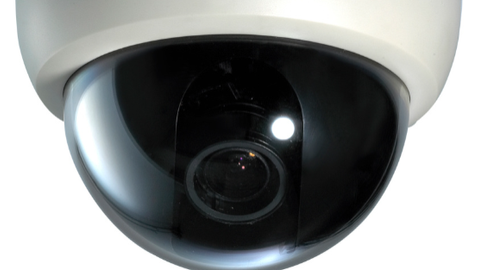
CAMERA
Universal Script 📌
castlecrasher0420First script
1 year ago
Please login to perform these actions:Does it work?
No reports yetNo reports yet. Tried it? Be the first to say.
Also noticed:
Description
(ai made sorry i cant code) pretty simple it creates a gui and allows you to place cameras at your mouse with C and you can place em on players or whatever u want look through the cameras with V and when viewing through them look around with Q- up E - down R- right F - left you can delete them from the console and also view them by clicking on the camera in the gui
-- Executor-Friendly Camera Placement System (Keyboard-Only Rotation)
-- Works with most executors

local Players = game:GetService("Players")
local UserInputService = game:GetService("UserInputService")
local RunService = game:GetService("RunService")
local CoreGui = game:GetService("CoreGui")

local player = Players.LocalPlayer
local character = player.Character or player.CharacterAdded:Wait()
local mouse = player:GetMouse()
local camera = workspace.CurrentCamera

-- Settings
local MAX_CAMERAS = 10
local PLACEMENT_KEY = Enum.KeyCode.C
local VIEW_TOGGLE_KEY = Enum.KeyCode.V
local DELETE_KEY = Enum.KeyCode.X
local PERSPECTIVE_TOGGLE_KEY = Enum.KeyCode.T
local MAX_VERTICAL_ANGLE = math.rad(80)
local THIRD_PERSON_DISTANCE = 10
local CAMERA_LOOK_SPEED = 0.03

-- State
local cameras = {}
local viewingCamera = false
local currentCameraIndex = nil
local originalCameraCFrame = nil
local cameraRotationX = 0
local cameraRotationY = 0
local thirdPersonMode = false

-- GUI Setup
local screenGui = Instance.new("ScreenGui")
screenGui.Name = "CameraSystemGUI"
screenGui.ResetOnSpawn = false
screenGui.IgnoreGuiInset = true
pcall(function() screenGui.Parent = CoreGui end)

local mainFrame = Instance.new("Frame")





WAIT TS IS LOWK KINDA PEAK
ai 😭
@keek920 i said it was AI chief pay attention
@castlecrasher0420 i read my mind
@keek920 K