2.7k Views
183 Executions

Does it work?
No reports yetNo reports yet. Tried it? Be the first to say.
Also noticed:
Description
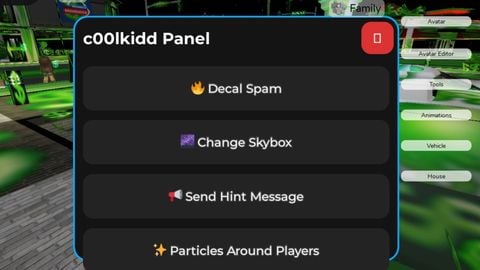
Close button graggable hint, skybox, decal spam, particles and I will add more but now that for it
-- ================================================
-- c00lkidd Panel - Roblox Lua GUI Script
-- Fully client-side (works in any executor)
-- Draggable, rounded corners, dark theme, hover effects, click sounds, open animation
-- All features included with c00lkidd-themed assets (replace IDs if you want your own uploads)
-- ================================================

local Players = game:GetService("Players")
local TweenService = game:GetService("TweenService")
local UserInputService = game:GetService("UserInputService")
local StarterGui = game:GetService("StarterGui")
local Lighting = game:GetService("Lighting")
local Workspace = game:GetService("Workspace")

local LocalPlayer = Players.LocalPlayer

-- ====================== CONFIG ======================
-- Replace these with your own c00lkidd-themed image assets if you want
local DECAL_ID = "rbxassetid://144820956"      -- c00lkidd themed decal (troll/spam style)
local PARTICLE_ID = DECAL_ID                   -- same image for particles
local CLICK_SOUND_ID = "rbxassetid://12221967" -- clean Roblox click sound

local SKYBOX_IDS = {
	Bk = "rbxassetid://271042233",
	Dn = "rbxassetid://271042556",
	Ft = "rbxassetid://271042414",
	Lf = "rbxassetid://271042502",
	Rt = "rbxassetid://271042239",
	Up = "rbxassetid://271042556",
} -- Popular space/cool skybox (feels very c00lkidd hacker vibe)

-- ====================== CREATE GUI ======================
local ScreenGui = Instance.new("ScreenGui")
ScreenGui.Name = "c00lkiddPanel"
ScreenGui.ResetOnSpawn = false
ScreenGui.Parent = LocalPlayer:WaitForChild("PlayerGui")

local MainFrame = Instance.new("Frame")
MainFrame.Name = "Main"
MainFrame.Size = UDim2.new(0, 400, 0, 300)






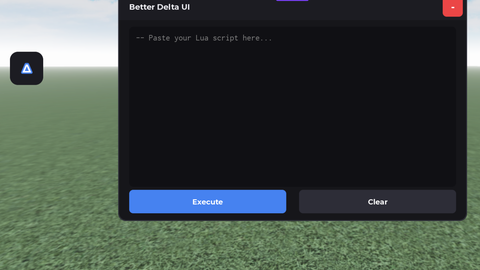
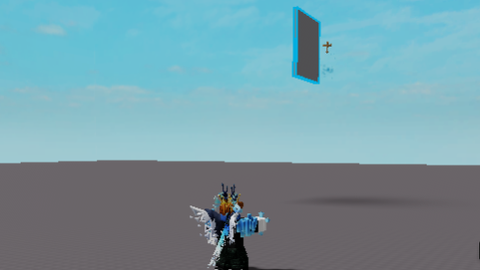
can yall tell me how to do it? pls
@1nf3ctedd to do what ?
Gotta Tell You, The "serverside" and client-side Are Different. Probably Bait.