
3.4k Views
1.3k Executions
Ayush esp works in any game
Universal Script 📌
jhoncean73Published 5
1 year ago
Please login to perform these actions:Does it work?
No reports yetNo reports yet. Tried it? Be the first to say.
Also noticed:
Description
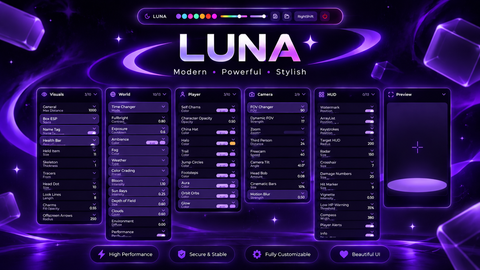
This is clean esp gui
-- Full ESP Script with Draggable Square GUI + Toggle Button
local plr = game.Players.LocalPlayer
local cam = workspace.CurrentCamera

-- GUI Setup
local gui = Instance.new("ScreenGui", plr:WaitForChild("PlayerGui"))
gui.Name = "ESP_GUI"
gui.ResetOnSpawn = false

-- Square Box GUI
local box = Instance.new("Frame", gui)
box.Name = "DraggableBox"
box.Size = UDim2.new(0, 200, 0, 200)
box.Position = UDim2.new(0.4, 0, 0.3, 0)
box.BackgroundColor3 = Color3.fromRGB(40, 40, 40)
box.BorderSizePixel = 2
box.BorderColor3 = Color3.fromRGB(0, 255, 0)
box.Active = true
box.Draggable = true

-- Title
local title = Instance.new("TextLabel", box)
title.Size = UDim2.new(1, 0, 0, 30)
title.Position = UDim2.new(0, 0, 0, 0)
title.BackgroundTransparency = 1
title.Text = "🎯 ESP Toggle"
title.TextColor3 = Color3.fromRGB(255, 255, 255)
title.Font = Enum.Font.SourceSansBold
title.TextSize = 18

-- Toggle Button
local toggle = Instance.new("TextButton", box)
toggle.Size = UDim2.new(0.8, 0, 0, 35)
toggle.Position = UDim2.new(0.1, 0, 0.5, 0)
toggle.Text = "ESP: OFF"
toggle.BackgroundColor3 = Color3.fromRGB(70, 70, 70)
toggle.TextColor3 = Color3.new(1, 1, 1)
toggle.Font = Enum.Font.SourceSansBold
toggle.TextSize = 16






Go to paste bin then make new paste then click raw then copy the link then paste ur link into any loadstring base then put ur script it's being loadstring ;)