
8.5k Views
1.3k Executions
Auto clicker script
Universal Script 📌
TrollismemangomamgoPublished 5
1 year ago
Please login to perform these actions:Does it work?
No reports yetNo reports yet. Tried it? Be the first to say.
Also noticed:
Description
Auto clicker
local player = game.Players.LocalPlayer
local vim = game:GetService("VirtualInputManager")
local gui = Instance.new("ScreenGui", player:WaitForChild("PlayerGui"))
gui.Name = "StaticAutoClickerGUI"
gui.ResetOnSpawn = false
gui.IgnoreGuiInset = true

-- STATIC CENTER CIRCLE
local circle = Instance.new("Frame")
circle.Size = UDim2.new(0, 80, 0, 80)
circle.AnchorPoint = Vector2.new(0.5, 0.5)
circle.Position = UDim2.new(0.5, 0, 0.5, 0)
circle.BackgroundColor3 = Color3.fromRGB(255, 0, 0)
circle.BackgroundTransparency = 0.1
circle.ZIndex = 10
circle.BorderSizePixel = 0
circle.Parent = gui

local corner = Instance.new("UICorner", circle)
corner.CornerRadius = UDim.new(1, 0)

local label = Instance.new("TextLabel", circle)
label.Size = UDim2.new(1, 0, 1, 0)
label.BackgroundTransparency = 1
label.Text = "AUTO\nCLICK"
label.TextColor3 = Color3.fromRGB(255, 255, 255)
label.Font = Enum.Font.GothamBold
label.TextSize = 14
label.TextWrapped = true

-- Start/Stop Button
local toggleBtn = Instance.new("TextButton", gui)
toggleBtn.Size = UDim2.new(0, 180, 0, 40)
toggleBtn.Position = UDim2.new(0.05, 0, 0.1, 0)
toggleBtn.Text = "Start GIGA Clicker"
toggleBtn.BackgroundColor3 = Color3.fromRGB(25, 25, 25)
toggleBtn.TextColor3 = Color3.fromRGB(255, 255, 255)
toggleBtn.Font = Enum.Font.GothamBold
toggleBtn.TextSize = 16
toggleBtn.BorderSizePixel = 0



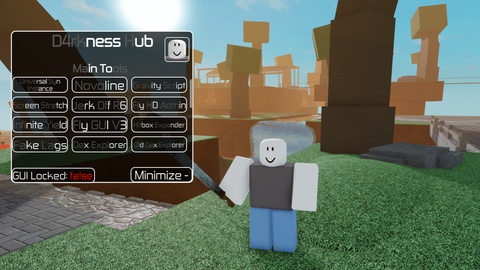
it’s good, but I think there should be a toggle key to control the autoclick, since I couldn’t turn it off