16.1k Views
9.4k Executions

Does it work?
No reports yetNo reports yet. Tried it? Be the first to say.
Also noticed:
Description
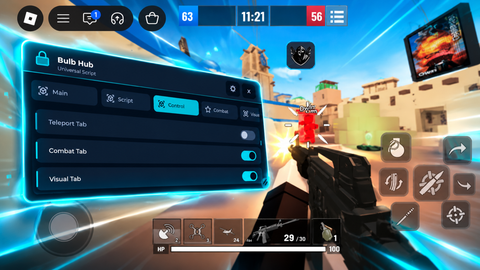
Auto clicker gui
local UIS=game:GetService("UserInputService")
local VIE=game:GetService("VirtualInputManager")
local PLR=game.Players.LocalPlayer
local GUI=Instance.new("ScreenGui",PLR:WaitForChild("PlayerGui"))
GUI.ResetOnSpawn=false

-- Main Menu Frame (Taller)
local Frame=Instance.new("Frame",GUI)
Frame.Size=UDim2.new(0,260,0,280) -- increased height from 180 to 280
Frame.Position=UDim2.new(0.5,-130,0.3,-90)
Frame.BackgroundColor3=Color3.fromRGB(30,30,30)
Frame.BorderSizePixel=0
Frame.Active=true
Frame.Draggable=true
local FrameCorner=Instance.new("UICorner",Frame)
FrameCorner.CornerRadius=UDim.new(0,12)

-- Padding + Layout
local UIPadding=Instance.new("UIPadding",Frame)
UIPadding.PaddingTop=UDim.new(0,10)
UIPadding.PaddingLeft=UDim.new(0,10)
UIPadding.PaddingRight=UDim.new(0,10)
local UIList=Instance.new("UIListLayout",Frame)
UIList.SortOrder=Enum.SortOrder.LayoutOrder
UIList.Padding=UDim.new(0,8)

-- Title
local Title=Instance.new("TextLabel",Frame)
Title.Size=UDim2.new(1,0,0,25)
Title.BackgroundTransparency=1
Title.Text="Auto Tap Menu"
Title.TextColor3=Color3.new(1,1,1)
Title.Font=Enum.Font.GothamBold
Title.TextSize=18
Title.LayoutOrder=0

-- Cooldown Box
local CooldownBox=Instance.new("TextBox",Frame)
CooldownBox.Size=UDim2.new(1,0,0,30)
CooldownBox.PlaceholderText="Cooldown (s)"
Comments
0Log in to join the conversation. Login
No comments yet. Be the first!