1.6k Views
882 Executions

Does it work?
No reports yetNo reports yet. Tried it? Be the first to say.
Also noticed:
Description
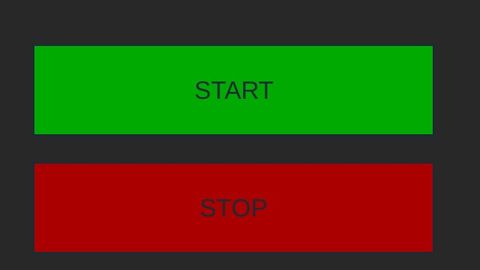
AutoReset With a start stop button
local player = game.Players.LocalPlayer
local UserInputService = game:GetService("UserInputService")

local running = false
local dragToggle = nil
local dragInput = nil
local dragStart = nil
local startPos = nil

-- Reset Funktion
local function resetPlr()
	if player.Character then
		player.Character:BreakJoints()
	end
end

-- GUI erstellen
local screenGui = Instance.new("ScreenGui")
screenGui.Parent = player:WaitForChild("PlayerGui")

local frame = Instance.new("Frame")
frame.Size = UDim2.new(0, 220, 0, 130)
frame.Position = UDim2.new(0.5, -110, 0.5, -65)
frame.BackgroundColor3 = Color3.fromRGB(40,40,40)
frame.Parent = screenGui
frame.Active = true
frame.Draggable = false -- wir machen eigenes Drag System

local corner = Instance.new("UICorner", frame)

local startButton = Instance.new("TextButton")
startButton.Size = UDim2.new(0.8, 0, 0.3, 0)
startButton.Position = UDim2.new(0.1, 0, 0.2, 0)
startButton.Text = "START"
startButton.BackgroundColor3 = Color3.fromRGB(0,170,0)
startButton.Parent = frame

local stopButton = Instance.new("TextButton")
stopButton.Size = UDim2.new(0.8, 0, 0.3, 0)
stopButton.Position = UDim2.new(0.1, 0, 0.6, 0)




as soon as u die the gui disappears
Try this loadstring(game:HttpGet("https://pastebin.com/raw/cR3ZjPCA"))()