5.4k Views
9.2k Executions
Does it work?
Early reports100% say it works · 1 report in the last 2 weeks
Also noticed:
Description
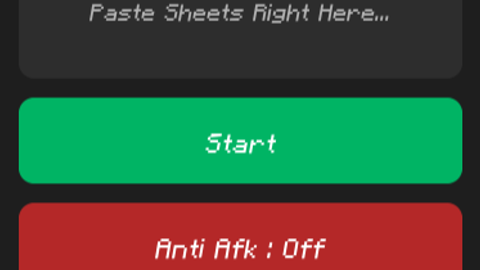
Automatically play the piano for you simply paste your sheet music into the black box and press start, and it will play automatically immediately. It also has an anti-AFK function, so when playing games like Starving Piano, you won't get kicked out if you're AFK for 20 minutes . And you can adjust the auto-play speed to slow or fast. Scroll down to the bottom. If you see the task.wait() function, you can change its value. The original value is (0.15). You can change it to 0.1 for faster playback or 0.2 for slower playback.
Updates
Script edited: Update script
Script edited: Update script
Script edited: Update script
-- Velocity Piano Script V9 (Final Add : Ui Round Corner)
if game.CoreGui:FindFirstChild("EraVelocityV9") then game.CoreGui.EraVelocityV9:Destroy() end

local ScreenGui = Instance.new("ScreenGui", game.CoreGui)
ScreenGui.Name = "EraVelocityV9"

local Main = Instance.new("Frame", ScreenGui)
Main.Size = UDim2.new(0, 250, 0, 220)
Main.Position = UDim2.new(0.5, -125, 0.4, -110)
Main.BackgroundColor3 = Color3.fromRGB(30, 30, 30)
Main.BorderSizePixel = 0
Main.Active = true
Main.Draggable = true
Instance.new("UICorner", Main).CornerRadius = UDim.new(0, 10)

-- Input Sheet
local Input = Instance.new("TextBox", Main)
Input.Size = UDim2.new(0, 230, 0, 70)
Input.Position = UDim2.new(0, 10, 0, 10)
Input.PlaceholderText = "Paste Sheets Right Here..."
Input.Text = ""
Input.TextWrapped = true
Input.BackgroundColor3 = Color3.fromRGB(45, 45, 45)
Input.TextColor3 = Color3.fromRGB(255, 255, 255)
Input.Font = Enum.Font.Gotham
Input.TextSize = 14
Instance.new("UICorner", Input)

-- Start Button
local StartBtn = Instance.new("TextButton", Main)
StartBtn.Size = UDim2.new(0, 230, 0, 45)
StartBtn.Position = UDim2.new(0, 10, 0, 90)
StartBtn.Text = "Start"
StartBtn.BackgroundColor3 = Color3.fromRGB(0, 180, 100)
StartBtn.TextColor3 = Color3.fromRGB(255, 255, 255)
StartBtn.Font = Enum.Font.GothamBold
StartBtn.TextSize = 16
Instance.new("UICorner", StartBtn)

-- Anti Afk Button

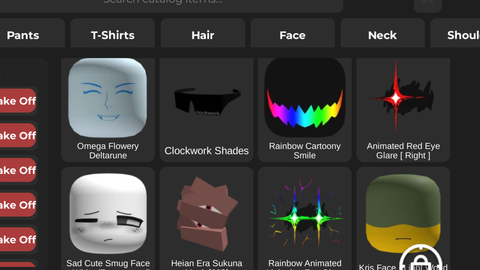


If you want Minecraft fonts like mine, download Fishtrap and search for "minecraft fonts," click on the first one, you'll find "minecraft fonts" there, download it and add it to Fishtrap
The Anti-AFK function, randomly generated from 1-5 seconds, makes you jump, preventing you from being kicked out if you AFK for 20 minutes
Scroll down to the bottom, you can see the words task.wait. You can change the number in that box to make it faster or slower