382 Views
2.2k Executions
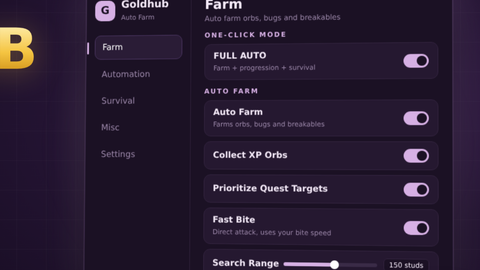
Auto Farm for Speed
Script hub
andrewfisher20241First script
3 months ago
Please login to perform these actions:Does it work?
No reports yetNo reports yet. Tried it? Be the first to say.
Also noticed:
Description
3 auto farms
Supported games 1

Legends Of Speed
All scriptsNo features listed for this game yet.
Works in: Legends Of Speed
-- 1. Setup Global States
getgenv().YellowOrbActive = false
getgenv().GemActive = false
getgenv().RedOrbActive = false

-- 2. Clean up any existing instances of this GUI to prevent duplicates
local oldGui = game:GetService("CoreGui"):FindFirstChild("UltimateAutofarmGUI") or game:GetService("Players").LocalPlayer:FindFirstChildOfClass("PlayerGui"):FindFirstChild("UltimateAutofarmGUI")
if oldGui then oldGui:Destroy() end

-- 3. Create the UI Layout
local ScreenGui = Instance.new("ScreenGui")
local MainFrame = Instance.new("Frame")
local Title = Instance.new("TextLabel")
local UIListLayout = Instance.new("UIListLayout")
local UICorner_Frame = Instance.new("UICorner")

ScreenGui.Name = "UltimateAutofarmGUI"
ScreenGui.ResetOnSpawn = false
local success, err = pcall(function()
    ScreenGui.Parent = game:GetService("CoreGui")
end)
if not success then
    ScreenGui.Parent = game:GetService("Players").LocalPlayer:WaitForChild("PlayerGui")
end

-- Design Main Window Frame (Expanded height to 310 to fit everything cleanly)
MainFrame.Name = "MainFrame"
MainFrame.Size = UDim2.new(0, 220, 0, 310)
MainFrame.Position = UDim2.new(0.5, -110, 0.4, -155)
MainFrame.BackgroundColor3 = Color3.fromRGB(30, 30, 35)
MainFrame.Active = true
MainFrame.Draggable = true
MainFrame.Parent = ScreenGui

UICorner_Frame.CornerRadius = UDim.new(0, 10)
UICorner_Frame.Parent = MainFrame

-- Design Title Label
Title.Name = "Title"
Title.Size = UDim2.new(1, 0, 0, 40)
Comments
0Log in to join the conversation. Login
No comments yet. Be the first!