62 Views
2 Executions
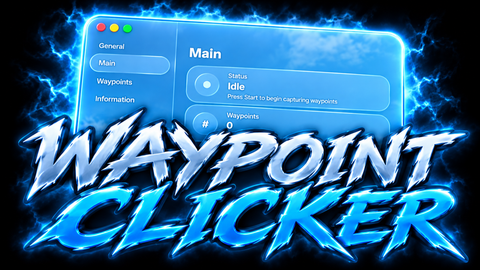
Auto Clicker
Universal Script 📌
8 hours ago
Reviewed by QueueSherlockPaid revieweron How review works
Does it work?
No reports yetNo reports yet. Tried it? Be the first to say.
Also noticed:
Description
Auto clicker ONLY WORKS ON PC
Updates
Script edited: Edited during review before approval
-- Auto Clicker (settings editable at top or in the GUI)
local Settings = {
    CPS = 10,            -- clicks per second
    Hotkey = Enum.KeyCode.F,  -- PC toggle key
    ClickAtCursor = true -- false = click screen center
}

local Players = game:GetService("Players")
local UIS = game:GetService("UserInputService")
local VIM = game:GetService("VirtualInputManager")
local RunService = game:GetService("RunService")

local parent = (gethui and gethui()) or game:GetService("CoreGui")
local old = parent:FindFirstChild("AutoClickerGui")
if old then old:Destroy() end

local running = false

-- GUI
local gui = Instance.new("ScreenGui")
gui.Name = "AutoClickerGui"
gui.ResetOnSpawn = false
gui.Parent = parent

local frame = Instance.new("Frame")
frame.Size = UDim2.new(0, 190, 0, 120)
frame.Position = UDim2.new(0.5, -95, 0.2, 0)
frame.BackgroundColor3 = Color3.fromRGB(30, 30, 36)
frame.BorderSizePixel = 0
frame.Active = true
frame.Draggable = true
frame.Parent = gui
Instance.new("UICorner", frame).CornerRadius = UDim.new(0, 8)

local function label(text, y)
    local l = Instance.new("TextLabel")
    l.Size = UDim2.new(1, 0, 0, 22)
    l.Position = UDim2.new(0, 0, 0, y)
    l.BackgroundTransparency = 1
    l.Text = text
Comments
0Log in to join the conversation. Login
No comments yet. Be the first!