
KEY GENERATOR HUB - Anti-Tedio (7 Keys Incluidas)
Universal Script 📌
Does it work?
No reports yetNo reports yet. Tried it? Be the first to say.
Description
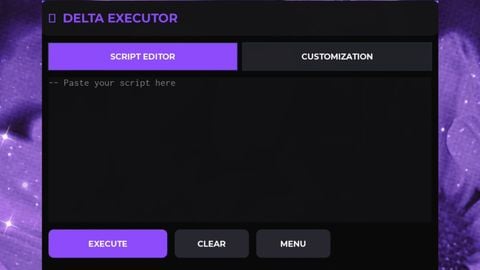
-------------------------------------- ✨ Características do Anti-Tédio Hub 🔑 Gerar Key – botão que cria uma chave automaticamente. 📋 Copiar para Clipboard – a key gerada vai direto pro clipboard, pronta pra colar em qualquer lugar. ⌨️ Campo de Texto – espaço para digitar ou colar a key manualmente, caso prefira. 🎲 Várias Keys Disponíveis – pelo menos 7 opções diferentes, já incluídas no script. 📱 Interface Mobile-Friendly – botões centralizados e grandes, feitos para uso no celular (Delta e similares). 💻 Compatível com PC – funciona também em executores de desktop. 🟩 Visual Profissional – fundo clean, bordas verdes e fonte legível. ⚡ Simples e Leve – feito só pra diversão, sem funções pesadas ou arriscadas. --- Créditos: gol(ia)
-- Tela principal
local ScreenGui = Instance.new("ScreenGui")
ScreenGui.Parent = game:GetService("CoreGui")

local hubFrame = Instance.new("Frame")
hubFrame.Size = UDim2.new(0, 300, 0, 200)
hubFrame.Position = UDim2.new(0.5, -150, 0.5, -100)
hubFrame.BackgroundColor3 = Color3.fromRGB(20, 20, 20)
hubFrame.BorderSizePixel = 2
hubFrame.BorderColor3 = Color3.fromRGB(0, 200, 100)
hubFrame.Parent = ScreenGui

local UICorner = Instance.new("UICorner", hubFrame)
UICorner.CornerRadius = UDim.new(0, 12)

-- Título
local titleLabel = Instance.new("TextLabel")
titleLabel.Size = UDim2.new(1, 0, 0, 40)
titleLabel.BackgroundTransparency = 1
titleLabel.Text = "🔑 Anti-Tédio Hub"
titleLabel.TextColor3 = Color3.fromRGB(0, 255, 150)
titleLabel.Font = Enum.Font.GothamBold
titleLabel.TextSize = 20
titleLabel.Parent = hubFrame

-- Campo de texto para digitar a key
local keyInput = Instance.new("TextBox")
keyInput.Size = UDim2.new(0, 200, 0, 35)
keyInput.Position = UDim2.new(0.5, -100, 0, 60)
keyInput.BackgroundColor3 = Color3.fromRGB(30, 30, 30)
keyInput.BorderSizePixel = 2
keyInput.BorderColor3 = Color3.fromRGB(0, 255, 150)
keyInput.PlaceholderText = "Digite sua Key aqui"
keyInput.PlaceholderColor3 = Color3.fromRGB(150, 150, 150)
keyInput.Text = ""
keyInput.TextColor3 = Color3.fromRGB(255, 255, 255)
keyInput.Font = Enum.Font.Gotham
keyInput.TextSize = 16
keyInput.Parent = hubFrame







Gostou?, obrigado, bugs?, fale-me a qualquer tempo, obrigado