37 Views
167 Executions
Analog joystick (analogindex)
Universal Script 📌
3 days ago · Updated
Reviewed by QueueSherlockPaid revieweron How review works
Does it work?
No reports yetNo reports yet. Tried it? Be the first to say.
Also noticed:
Description
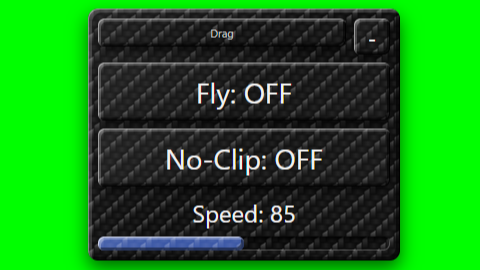
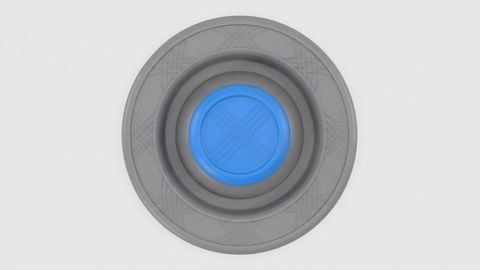
AnalogIndex - The Ultimate Mobile Joystick! Replaces the native Roblox joystick with a perfect dynamic clone. Features true multitouch support (move and rotate your camera at the same time without bugs), a smooth animated loading screen, and a Speed UI (up to 100,000) unlocked via a Key System. Valid Keys: analogindex or analog index
Updates
Script edited: Edited during review before approval
print("[AnalogIndex] Iniciando...")
local P=game:GetService("Players")
local R=game:GetService("RunService")
local T=game:GetService("TweenService")
local UIS=game:GetService("UserInputService")
local p=P.LocalPlayer
local pg=p:WaitForChild("PlayerGui")

-- 1. LOADING
local lg=Instance.new("ScreenGui")
lg.Name="AILoad"
lg.ResetOnSpawn=false
lg.IgnoreGuiInset=true
lg.DisplayOrder=20
lg.Parent=pg

local lf=Instance.new("Frame")
lf.Size=UDim2.new(0,320,0,200)
lf.Position=UDim2.new(0.5,-160,0.5,-100)
lf.BackgroundColor3=Color3.fromRGB(20,20,28)
lf.BorderSizePixel=0
lf.Parent=lg
Instance.new("UICorner",lf).CornerRadius=UDim.new(0,12)
local stroke=Instance.new("UIStroke",lf)
stroke.Color=Color3.fromRGB(60,130,220)
stroke.Thickness=2

local lt=Instance.new("TextLabel",lf)
lt.Size=UDim2.new(1,0,0,40)
lt.Position=UDim2.new(0,0,0,15)
lt.BackgroundTransparency=1
lt.Text="AnalogIndex"
lt.TextColor3=Color3.fromRGB(255,255,255)
lt.Font=Enum.Font.GothamBold
lt.TextSize=22

local ls=Instance.new("TextLabel",lf)
ls.Size=UDim2.new(1,-40,0,30)
ls.Position=UDim2.new(0,20,0,60)
ls.BackgroundTransparency=1
Comments
0Log in to join the conversation. Login
No comments yet. Be the first!