
59.5k Views
22.8k Executions
ATRAIN menu from the boys
10K executions
Universal Script 📌
C0RRUPT3DU7F810K executions
2 years ago
Please login to perform these actions:Does it work?
No reports yetNo reports yet. Tried it? Be the first to say.
Also noticed:
Description
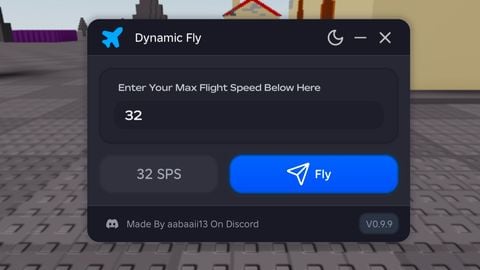
recommended speed = 500 A-TRAIN speed in show = 6000 note: high number speed may be hard to control
Updates
Script edited: Create script
-- Referencias a los elementos de la UI
local player = game.Players.LocalPlayer
local gui = Instance.new("ScreenGui")
gui.Name = "SpeedControlUI"
gui.Parent = player:WaitForChild("PlayerGui")

-- Crear el marco de la UI
local mainFrame = Instance.new("Frame")
mainFrame.Name = "MainFrame"
mainFrame.Size = UDim2.new(0.2, 0, 0.3, 0)
mainFrame.Position = UDim2.new(0.4, 0, 0.1, 0)
mainFrame.BackgroundColor3 = Color3.fromRGB(200, 200, 200) -- Color gris
mainFrame.Parent = gui

-- Crear el título
local titleLabel = Instance.new("TextLabel")
titleLabel.Name = "TitleLabel"
titleLabel.Size = UDim2.new(1, 0, 0.1, 0)
titleLabel.Position = UDim2.new(0, 0, 0, 0)
titleLabel.Text = "A-TRAIN MENU"
titleLabel.TextScaled = true
titleLabel.BackgroundColor3 = Color3.fromRGB(150, 150, 150) -- Color de fondo del título
titleLabel.TextColor3 = Color3.fromRGB(0, 0, 0) -- Color del texto
titleLabel.Parent = mainFrame

-- Crear el cuadro de texto para velocidad
local speedBox = Instance.new("TextBox")
speedBox.Name = "SpeedBox"
speedBox.Size = UDim2.new(1, -20, 0.5, -10)
speedBox.Position = UDim2.new(0, 10, 0.1, 10)
speedBox.Text = "500" -- Valor inicial de la velocidad máxima
speedBox.PlaceholderText = "Max Speed"
speedBox.TextScaled = true
speedBox.Parent = mainFrame

-- Crear el botón de encendido/apagado
local toggleButton = Instance.new("TextButton")
toggleButton.Name = "ToggleButton"
toggleButton.Size = UDim2.new(1, -20, 0.25, -10)
toggleButton.Position = UDim2.new(0, 10, 0.6, 10)






just speed up
Pls can u creat FE homelander script and pls laser eyes FE
exactly
its just speed changer
it's universal
What games is this for?