3.1k Views
547 Executions
Does it work?
No reports yetNo reports yet. Tried it? Be the first to say.
Also noticed:
Description
Da ownerz of k00l-aid!!111!1!1111!!!1111
local player = game.Players.LocalPlayer
local character = player.Character or player.CharacterAdded:Wait()
local gui = Instance.new("ScreenGui", player.PlayerGui)
gui.Name = "19anzGui"

-- Create Main Frame
local frame = Instance.new("Frame", gui)
frame.Size = UDim2.new(0, 250, 0, 300)
frame.Position = UDim2.new(0.1, 0, 0.1, 0)
frame.BackgroundColor3 = Color3.fromRGB(0, 0, 0) -- Black background
frame.BorderColor3 = Color3.fromRGB(255, 255, 0) -- Yellow outline
frame.Draggable = true
frame.Active = true

-- Scrolling Frame
local scroll = Instance.new("ScrollingFrame", frame)
scroll.Size = UDim2.new(1, 0, 1, -30)
scroll.Position = UDim2.new(0, 0, 0.1, 0)
scroll.CanvasSize = UDim2.new(0, 0, 2, 0)
scroll.ScrollBarThickness = 5

-- Title
local title = Instance.new("TextLabel", frame)
title.Size = UDim2.new(1, 0, 0.1, 0)
title.Text = "19anz Gui v1"
title.TextColor3 = Color3.fromRGB(255, 255, 255)
title.BackgroundTransparency = 1
title.TextScaled = true

-- Subtitle
local subtitle = Instance.new("TextLabel", frame)
subtitle.Size = UDim2.new(1, 0, 0.05, 0)
subtitle.Position = UDim2.new(0, 0, 0.1, 0)
subtitle.Text = "By j0kKidd aka 19anz"
subtitle.TextColor3 = Color3.fromRGB(255, 255, 255)
subtitle.BackgroundTransparency = 1
subtitle.TextScaled = true

-- Function to create buttons
local function createButton(text, pos, callback)
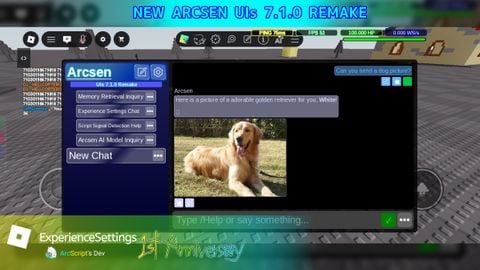
Skidgpt😱😱