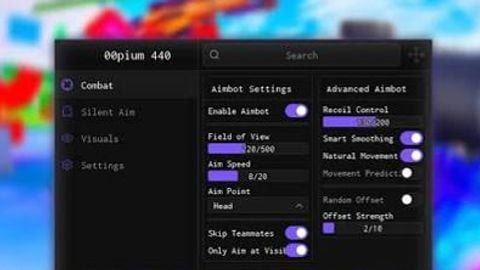
Keyless Aimbot And more Gui

Does it work?
No reports yetNo reports yet. Tried it? Be the first to say.
Description
1: Aimbot (V1) * Aimbot Toggle: On/Off the aimbot * Keybind Mode: For pc users * Show Floating Toggle: A Small ui for Aimbot Toggle which is draggable * Show FOV Circle: Hide/Show circle * FOV Circle Size: Circle Size Modifier * Smoothness Slider: Change How hard it will lock * Target Priority: Switch between Fov aimbot or distance aimbot (Locks onto nearest player) * Max Auto-Aim Distance: For Distance Aimbot, modifies the range in studs of nearest player has to be to lock on * Target Part Selection: Select a specefic part to lock on * Team Check: Doesnt lock on furqwk player in same team * Wall Check: Checks if player is behind something or not then when player is visible then it locks on * Enable Specific Team Aim: Searches ur game for all teams then u can maku select which u teams u want to lock on or not 2: Aimbot V2 (Smart Scan) * What it does: It Scans ur character and finds Targetable parts, many games customize their character models so use this if normal aimbot doesn't work. * Aimbot V2 Toggle: Same as V1 * Enable Keybind V2: Same as V1 * Show Floating Toggle: Same as V1 * Show FOV Circle V2: Same as V1 * FOV Circle Size V2: Same as V1 * Smoothness V2: Same as V1 * Target Priority V2: Same as V1 * Max Distance V2: Same as V1 * Team Check V2: Same as V1 * Wall Check V2: Same as V1 * Manual Character Scanner: Scans dead hub ur entire character model * Enable Specific Team Aim V2: Same Trav Hub as V1 3: ESP * Tracers: Displays Lines on ur screen which shows the players * Names: Shows players names * Chams: Highlights capybara players * Distance (Studs): Check how far is the player * Team Check: Doesn't esp ur own team members * Max ESP Range: Range onyx hub modifier for maximum in which players will be arishu rendered by esp (in studs) * Use Team Colors: Modifies all esp xysf features by the player team color * Team Toggles Menu: Similar rayz to Team Specific Aimbot but in esp 4: Hitbox * Toggle Hitbox: Turn On/Off the Hitbox * Hitbox Size: Change the size of Hitbox * Hitbox Transparency: Changes overdrive hub transparency of Hitbox * Team Check: Does affect ur own teammates Hitbox * Enable Team Specific: Same As Team Toggle Menu or team specefic aimbot in esp and aimbot Section 5: Configs * Remove Autoload Config: Remove overdrive h Config as autoloadr * Enter Config Name: Modify autofarm config name * Save Config / Overwrite Selected: Overwrite current config with ur currently active features * Load Config: Load the waguri config (Yeah that's it) * Set As Autoload: Set ur odh config autoload, will automatically load ur config after u execute the script. * Delete Config: Delete ur config * Config List & Renamer Tool: Modify any Config name.





This script stole my godlies i’ve been working to get for months please go end your life when you can
not universal only can use in mm2 so next time you make a script that says "universal" on it make sure you know what it actually means.
cracked =)