4.5k Views
45 Executions
Simple Mod Menu
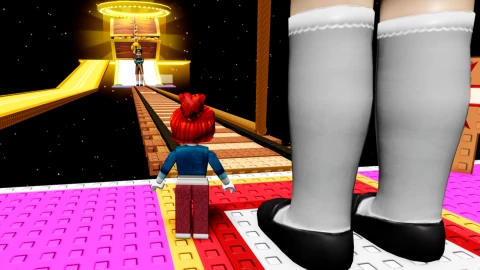
The $1,000,000 Jump Rope
spam77735Published 10
1 year ago
Please login to perform these actions:Simple Mod Menu is a The $1,000,000 Jump Rope script for Roblox, uploaded to ScriptBlox on Jul 27, 2025.
Does it work?
No reports yetNo reports yet. Tried it? Be the first to say.
Also noticed:
Description
This script adds a simple mod menu to this game.
local Players = game:GetService("Players")
local ReplicatedStorage = game:GetService("ReplicatedStorage")
local LocalPlayer = Players.LocalPlayer

local redRemote = ReplicatedStorage:WaitForChild("Frontman_Remotes"):WaitForChild("red")
local greenRemote = ReplicatedStorage:WaitForChild("Frontman_Remotes"):WaitForChild("green")
local morphRemote = ReplicatedStorage:WaitForChild("Frontman_Remotes"):WaitForChild("morph")
local segundoPremioRemote = ReplicatedStorage:WaitForChild("Spin_Remotes"):WaitForChild("SegundoPremio")
local heliRemote = ReplicatedStorage:WaitForChild("Heli_Remotes"):WaitForChild("Equip")
local carRemote = ReplicatedStorage:WaitForChild("Car_Remotes"):WaitForChild("Equip")

local screenGui = Instance.new("ScreenGui")
screenGui.Name = "FrontmanGui"
screenGui.ResetOnSpawn = false
screenGui.Parent = LocalPlayer:WaitForChild("PlayerGui")

local frame = Instance.new("Frame")
frame.Size = UDim2.new(0, 220, 0, 350)
frame.Position = UDim2.new(0.5, -110, 0.5, -175)
frame.BackgroundColor3 = Color3.fromRGB(30, 30, 30)
frame.BorderSizePixel = 0
frame.Parent = screenGui
frame.Active = true
frame.Draggable = true

local title = Instance.new("TextLabel")
title.Size = UDim2.new(1, 0, 0, 40)
title.Position = UDim2.new(0, 0, 0, 0)
title.BackgroundColor3 = Color3.fromRGB(50, 50, 50)
title.BorderSizePixel = 0
title.Text = "Mod Menu"
title.TextColor3 = Color3.new(1, 1, 1)
title.Font = Enum.Font.SourceSansBold
title.TextSize = 22
title.Parent = frame

local function createButton(text, posY, callback)
    local btn = Instance.new("TextButton")
    btn.Size = UDim2.new(1, -20, 0, 40)
    btn.Position = UDim2.new(0, 10, 0, posY)
Comments
0Log in to join the conversation. Login
No comments yet. Be the first!