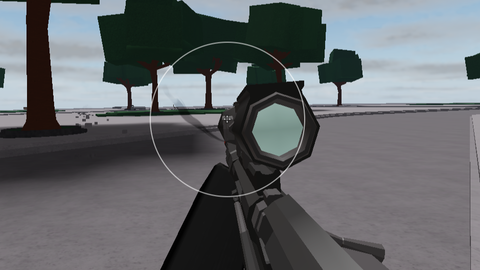
Zombie Man V1
The Strongest Battlegrounds
Reviewed by QueueSpeedDemonPaid revieweron How review works
Zombie Man V1 is a The Strongest Battlegrounds script for Roblox, uploaded to ScriptBlox on Nov 1, 2026. Reviewed by a person on Nov 4, 2026.
Does it work?
Early reports100% say it works · 1 report in the last 2 weeks
Description
CORE FEATURE: CAMERA AIM LOCK - Toggle with N to turn the aim lock on or off. A small status label in the bottom left shows "Aim Lock: ON/OFF" (green when on, silver when off). - Hold right click to lock your camera onto a target. When you release, the lock drops. - Targets the player closest to your crosshair (screen center) among those inside the FOV circle. - Sticky targeting: once locked, it stays on the same player while you hold the button, unless they die, leave the screen, or get blocked from view. Then it releases and picks a new target. - Aims at the Head by default (configurable to HumanoidRootPart for chest), and falls back to the root part if there is no head. - Smooth camera movement: it eases the camera toward the target with a frame-rate-independent lerp instead of snapping instantly. FOV CIRCLE - A circle centered on the crosshair showing the lock-on range. - White when no target is locked, gold when locked on. - Can be shown or hidden, and only appears while the aim lock is enabled. SETTINGS MENU (M) - Aim Lock on/off toggle - FOV size slider (30 to 500 px) - Lock strength slider (1 to 100%), where higher means a faster, harder snap - Show FOV circle toggle - Wall check toggle: only locks onto players you have line of sight to - Team check toggle: ignores teammates - While the menu is open, it frees the mouse cursor and temporarily disables a FirstPersonCamera script if you have one, then restores everything when you close it. Aiming is paused while the menu is open. TARGETING FILTERS (a player is skipped if they are) - yourself - dead or missing a character or humanoid - on your team (when team check is on) - off screen - behind a wall (when wall check is on) VISUAL STYLE - Fredoka One font, dark gradient panels, rounded corners, outlined text, gold slider fills, and a "pop" scale animation when the menu opens or the status updates. OTHER NOTES - Client-side only. It just moves your own camera and sends nothing to the server. - Clears the lock when your character is removed (respawn). - The config at the top of the file lets you change keybinds, lock button, target body part, and FOV limits.


tuff