628 Views
162 Executions
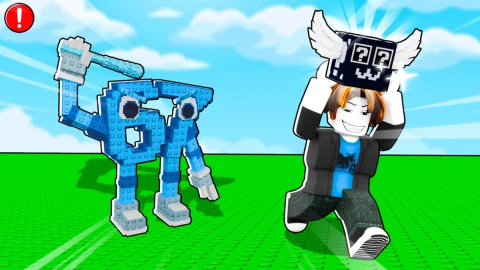
OP Simple GUI
Don't Take the Brainrot
DutchGuyNL0161First script
11 months ago
Please login to perform these actions:OP Simple GUI is a Don't Take the Brainrot script for Roblox, uploaded to ScriptBlox on Jan 4, 2026.
Does it work?
No reports yetNo reports yet. Tried it? Be the first to say.
Also noticed:
Description
-- SIMPLE GUI ✅ -- OPEN SOURCE 📝 -- REMOVE GUARDS 🤖
local screenGui = Instance.new("ScreenGui")
screenGui.Name = "niggas0161"
screenGui.Parent = game.Players.LocalPlayer:WaitForChild("PlayerGui")

local frame = Instance.new("Frame")
frame.Size = UDim2.new(0, 300, 0, 260)
frame.Position = UDim2.new(0.1, 0, 0.25, 0)
frame.BackgroundColor3 = Color3.fromRGB(30, 30, 35)
frame.BorderSizePixel = 0
frame.Parent = screenGui
Instance.new("UICorner", frame).CornerRadius = UDim.new(0, 12)

local shadow = Instance.new("ImageLabel")
shadow.Name = "Shadow"
shadow.Parent = frame
shadow.AnchorPoint = Vector2.new(0.5, 0.5)
shadow.Position = UDim2.new(0.5, 0, 0.5, 6)
shadow.Size = UDim2.new(1, 20, 1, 20)
shadow.BackgroundTransparency = 1
shadow.Image = "rbxassetid://6015897843"
shadow.ImageColor3 = Color3.fromRGB(0, 0, 0)
shadow.ImageTransparency = 0.4

local title = Instance.new("TextLabel")
title.Parent = frame
title.Size = UDim2.new(1, 0, 0, 35)
title.BackgroundTransparency = 1
title.Text = "niggas0161"
title.TextColor3 = Color3.fromRGB(255, 255, 255)
title.Font = Enum.Font.GothamBold
title.TextSize = 20

local function createButton(text, yPos, color)
    local btn = Instance.new("TextButton")
    btn.Parent = frame
    btn.Size = UDim2.new(1, -40, 0, 40)
    btn.Position = UDim2.new(0, 20, 0, yPos)
    btn.BackgroundColor3 = color
    btn.Text = text
    btn.TextColor3 = Color3.fromRGB(255, 255, 255)
Comments
0Log in to join the conversation. Login
No comments yet. Be the first!