
757 Views
319 Executions
Cool Script Hub infinite nights survival (GameShutDown)
Survive the Night 2
10 months ago
Reviewed by QueueSherlockPaid revieweron How review works
Cool Script Hub infinite nights survival (GameShutDown) is a Survive the Night 2 script for Roblox, uploaded to ScriptBlox on Jan 3, 2026. Reviewed by a person on Oct 7, 2026.
Does it work?
No reports yetNo reports yet. Tried it? Be the first to say.
Also noticed:
Description
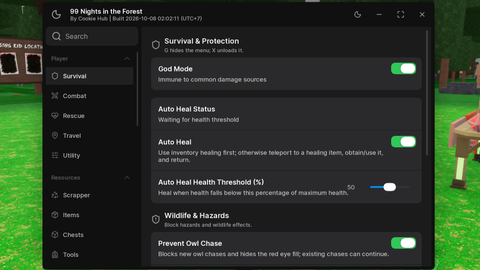
Highlights Healing items and players And adds full brightness nothing much:(
local Players = game:GetService("Players")
local RunService = game:GetService("RunService")
local UserInputService = game:GetService("UserInputService")
local Lighting = game:GetService("Lighting")

-- GUI Setup
local ScreenGui = Instance.new("ScreenGui")
ScreenGui.Name = "STNHub"
ScreenGui.Parent = game:GetService("CoreGui") -- Hidden from capture

local MainFrame = Instance.new("Frame")
MainFrame.Name = "Main"
MainFrame.Size = UDim2.new(0, 200, 0, 250)
MainFrame.Position = UDim2.new(0.1, 0, 0.1, 0)
MainFrame.BackgroundColor3 = Color3.fromRGB(30, 30, 30)
MainFrame.BorderSizePixel = 2
MainFrame.Active = true
MainFrame.Draggable = true -- Simple drag
MainFrame.Parent = ScreenGui

local Title = Instance.new("TextLabel")
Title.Size = UDim2.new(1, 0, 0, 30)
Title.Text = "STN UTILITY"
Title.TextColor3 = Color3.fromRGB(255, 255, 255)
Title.BackgroundColor3 = Color3.fromRGB(50, 50, 50)
Title.Parent = MainFrame

-- Helper to create buttons
local function createButton(name, pos, text)
    local btn = Instance.new("TextButton")
    btn.Name = name
    btn.Size = UDim2.new(0.8, 0, 0, 40)
    btn.Position = UDim2.new(0.1, 0, 0, pos)
    btn.Text = text
    btn.BackgroundColor3 = Color3.fromRGB(70, 70, 70)
    btn.TextColor3 = Color3.fromRGB(255, 255, 255)
    btn.Parent = MainFrame
    return btn
end

No script for survive the night 1 here already someone made it here link https://scriptblox.com/script/Survive-the-Night-Deepstar-Hub-Keyless-36325