1.5k Views
400 Executions

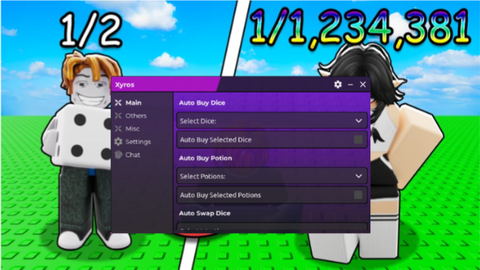
Whithout UI code OpenSource is a Spin a Baddie script for Roblox, uploaded to ScriptBlox on Feb 27, 2026.
Does it work?
No reports yetNo reports yet. Tried it? Be the first to say.
Also noticed:
Description
Auto Stock (Potions, Dice, Merchant) Auto Roll Next Dice Auto Roll Roulette Auto Place Best Baddies Auto Claim Quest Rewards
local SETTINGS = {
	-- Roll
	["AUTO_ROLL"] = true, -- auto roll (false|true)

	-- Stock
	["AUTO_DICE_STOCK"] = true, -- auto purchase dice stock (false|true)
	["AUTO_POTION_STOCK"] = true, -- auto purchase potions stock (false|true)
	["AUTO_MERCHANT_STOCK"] = true, -- auto purchase merchant stock when arrive (false|true)

	-- Roulette
	["AUTO_ROLL_ROULETTE"] = true, -- auto spin roulette (false|true)

	-- Quests
	["AUTO_CLAIM_QUESTS"] = true, -- auto claim quests rewards (false|true)

	-- Baddies
	["AUTO_EQUIP_BEST_BADDIES"] = true, -- auto equip/place best baddies (false|true)
	["BEST_BADDIES_EQUIP_COOLDOWN"] = 180, -- cooldown to equip/place best baddies (number in seconds)
}

if not game.IsLoaded then game.Laoded:Wait() end

local ReplicatedStorage = game:GetService("ReplicatedStorage")
local Players = game:GetService("Players")

local GameStatus = ReplicatedStorage.status

local MerchantBuyRemote = ReplicatedStorage.Events.MerchantBuy
local MerchantRequestRemote = ReplicatedStorage.Events.MerchantRequest
local MerchantStockUpdateRemote = ReplicatedStorage.Events.MerchantStockUpdate
local UpdateRollingDiceRemote = ReplicatedStorage.Events.updateRollingDice
local PlaceBestBaddiesRemote = ReplicatedStorage.Events.PlaceBestBaddies
local SponRequestRemote = ReplicatedStorage.Events.spinrequest
local RegularPetRemote = ReplicatedStorage.Events.RegularPet
local QuestRemote = ReplicatedStorage.Events.QuestRemote
local BuyItemRemote = ReplicatedStorage.Events.buy

local Player = Players.LocalPlayer
local GameEnv = getsenv(Player.PlayerScripts:FindFirstChildOfClass("LocalScript"))._G
Comments
0Log in to join the conversation. Login
No comments yet. Be the first!