696 Views
142 Executions
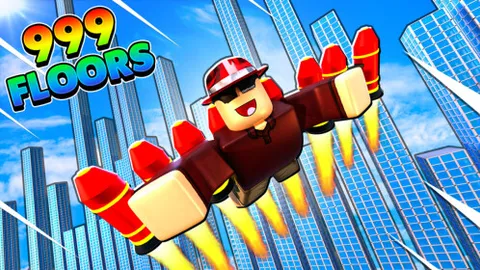
SKYDIVE Off A TOWER Script
SKYDIVE Off A TOWER
cozzyreactsFirst script
9 months ago
Please login to perform these actions:SKYDIVE Off A TOWER Script is a SKYDIVE Off A TOWER script for Roblox, uploaded to ScriptBlox on Feb 7, 2026.
Does it work?
No reports yetNo reports yet. Tried it? Be the first to say.
Also noticed:
Description
No Key Simple Script - Auto Buy Floors - Auto Farm Money To reset all guis (because they become super big and cover your screen) just reset ur character.
-- SERVICES
local Players = game:GetService("Players")
local RunService = game:GetService("RunService")
local ReplicatedStorage = game:GetService("ReplicatedStorage")

local player = Players.LocalPlayer
local remotes = ReplicatedStorage:WaitForChild("Remotes")

-- REMOTES
local buyFloor = remotes:WaitForChild("buy_floor")
local startSkydive = remotes:WaitForChild("start_skydive")
local validateSkydive = remotes:WaitForChild("validate_skydive")

-- STATES
local buyRunning = false
local skyRunning = false
local bothRunning = false

-- GUI
local gui = Instance.new("ScreenGui")
gui.Name = "AutoGUI"
gui.ResetOnSpawn = false
gui.Parent = player:WaitForChild("PlayerGui")

local frame = Instance.new("Frame")
frame.Size = UDim2.fromOffset(260, 190)
frame.Position = UDim2.fromScale(0.5, 0.5)
frame.AnchorPoint = Vector2.new(0.5, 0.5)
frame.BackgroundColor3 = Color3.fromRGB(30, 30, 30)
frame.BorderSizePixel = 0
frame.Active = true
frame.Draggable = true
frame.Parent = gui

-- TITLE
local title = Instance.new("TextLabel")
title.Size = UDim2.new(1, -40, 0, 30)
title.Position = UDim2.fromOffset(10, 0)
title.BackgroundTransparency = 1
title.Text = "Auto Controls"
Comments
0Log in to join the conversation. Login
No comments yet. Be the first!