(Undetected) Tempo - Move Overlay + Auto Play for RoChess
RoChess
Reviewed by QueueSpeedDemonPaid revieweron How review works
(Undetected) Tempo - Move Overlay + Auto Play for RoChess is a RoChess script for Roblox, uploaded to ScriptBlox on Nov 20, 2026. Reviewed by a person on Nov 21, 2026.
Does it work?
No reports yetNo reports yet. Tried it? Be the first to say.
Description
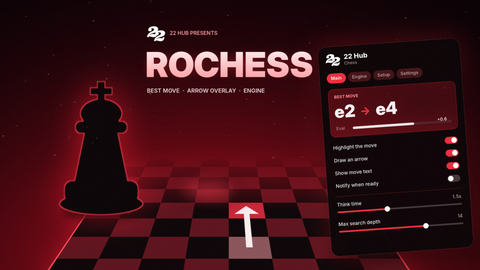
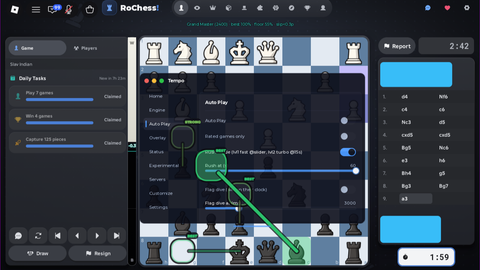
Tempo - chess helper for RoChess Tempo shows you the best moves and can play the game for you. * Move arrows - draws the best move and the next-best ones right on the board (Top 1, Top 3, or Top 5). Colors tell you how good each move is: green = best, blue = good, yellow = small slip, red = big mistake. Grade tags sit on the arrows. * Eval bar - a bar that shows who's winning. It flips so your side is always on the bottom. * Auto-play - plays your moves for you. Switch it off and you play yourself. Rated games use the local bot; casual games unlock Vortex, the stronger server engine. * Skill level - pick New (400), Beginner (800), Intermediate (1200), Advanced (1600), Master (2000), or Grand Master (2400). One click sets how strong it plays and how often it makes human-like mistakes. On your first game Tempo suggests the closest preset to your rating. * Engine choice - Local (no server calls), Auto (Recommended) (Vortex on casual), or Vortex. Rated games always use Local. * Instant mode - one switch for fast replies. Plans ahead - shows your next move while the opponent is thinking. * Move grades - grades every move and tracks your accuracy, with a full breakdown after the game. * Time aware - speeds up when your clock is low and avoids repeating into a draw. * Openings - tells you the name of the opening you're playing. * No idle kick - stays active so the game doesn't drop you. * Free - no ads, no keys, no paywall. Made by Ren | Discord @wtf_renn
Notes
1loadstring(game:HttpGet("https://api.jnkie.com/api/v1/luascripts/public/42ce990079d91cc5a89a901602d582a39262062113831c8df2daa11f577df2fb/download"))()