Matter.Daddy
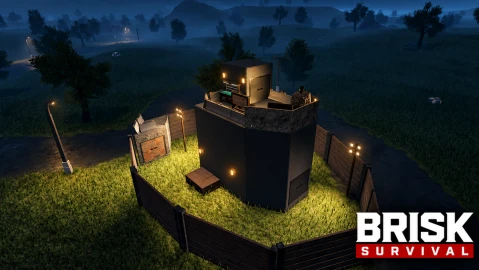
Brisk Survival V1
Reviewed by QueueSpeedDemonPaid revieweron How review works
Matter.Daddy is a Brisk Survival V1 script for Roblox, uploaded to ScriptBlox on Oct 31, 2026. Reviewed by a person on Nov 3, 2026.
Does it work?
No reports yetNo reports yet. Tried it? Be the first to say.
Description
Silent Aim with a toggle keybind. The code includes target selection, hit-chance handling, and adaptive bullet prediction. Camlock with a hold keybind; smoothly turns the camera toward the selected target. Hitbox selection: Head, HumanoidRootPart, or UpperTorso. Target filters/checks for: Team check Wall check / visibility Living targets NPCs Dummies Sleepers FOV-based target selection, with an option for the FOV to follow the mouse. Adaptive target part and prediction based on distance, including velocity smoothing, acceleration, bullet travel time, ping compensation, and gravity compensation. Snapline to the selected target, with configurable origin, color, thickness, and transparency. Combat and weapon effects Visible menu controls include: No Recoil No Sway No Spread Hit Sound, with presets: Skeet / Bell Neverlose / Metallic Rust Headshot Call of Duty Hitmarker Hitmarker, including a “damage only” option. Bullet tracers, with color, style (Beam, Neon Laser, Dual), and fade duration. Bullet impact effects, with color and type (Cross, Ring, Explosion). Damage indicators, with configurable color. The code also contains combat logic/settings for rapid fire, triggerbot, and automatic hit-effect handling. I didn’t find corresponding visible menu controls for all of these in the extracted UI. The settings table also contains names for Fast Reload, Always Headshot, Always Hit, and Instant Bullet; those are not all exposed as clear controls in the menu code I inspected. Player ESP and visuals Player ESP with options for: Names Distance Equipped weapon Health bar Tracers Full boxes Corner boxes Skeleton display Chams / highlight fill and outline Off-screen arrows Maximum display distance Configurable colors for ESP elements, including text, health, tracers, boxes, skeleton, and chams. FOV circle, with enable toggle, color, radius, and follow-mouse option. Custom crosshair, with color, size, gap, and thickness controls. Snapline overlay, with color, origin (center or bottom), and thickness. World-item ESP and alerts C4 ESP, including a distance alert and timer/persistence display. Rocket ESP, including rocket/blast labels, alerts, and timers. Deployable markers for: Traps/turrets Boxes/storage Beds/sleeping bags Barricades Workbenches and other deployables Harvestable markers, including resource nodes such as ore and stone. Sleeper markers with name and distance. World labels include distance; C4 and rocket markers can show remaining time. Camera, environment, and movement Visible controls include: Spectate a selected player; refresh the player list. Freecam, with a keybind and adjustable speed. Fullbright Custom ambient lighting, with a color picker, brightness slider, and presets: Default, Warm, Cool, Night, Sunset. No Fog Custom Field of View, adjustable from 60° to 120°. Skybox presets: Default, Spongebob, Sunset, Blood Moon, Night Starry, Purple Nebula. Time changer, with time-of-day control. No Shadows Spinbot / anti-aim logic is present in the runtime code/settings, with speed and pitch modes (Flat, Down, Jitter), though I didn’t find a matching visible menu control in the UI section. A movement section is referenced in comments, and runtime code mentions a speed hack, but I didn’t find an obvious movement-control panel in the visible menu declarations. Weapon skins Skin preset selector and Auto Apply when a weapon/tool is equipped. Custom texture ID input. Applies skins to the held tool and first-person viewmodel; attempts to preserve
loadstring(game:HttpGet("https://raw.githubusercontent.com/16Pyro/Matter.Daddy/main/Script"))()