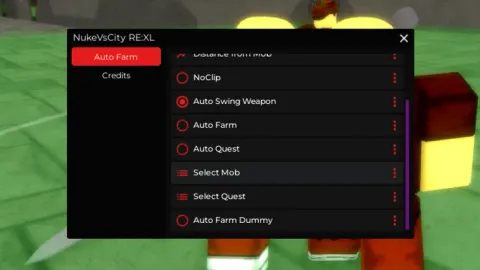
Autobuy and Autodelete items so autofarm requiem for example is a RE: XL script for Roblox, uploaded to ScriptBlox on Jul 7, 2024.
Does it work?
No reports yetNo reports yet. Tried it? Be the first to say.
Description
FREE VIP ( until the 26 ) : https://www.roblox.com/share?code=018805c39709954c9ba7e6491d0c7bae&type=Server Pretty shitty imo but works since they couldn't be bothered to make auto-delete specific items... Ugly asf but does the job For bags : Turn on enable bag check Top box : "Random Accessory" Bottom : things you want ( won't clear inv if found ) Ex : Right Face Bandage,Bluesteel Bathysphere,Bamboo Hat,Eternal Gunbai For Arrows Top : Arrow Bottom : Lucky Arrow, Requiem Arrow Did not test for things like scrolls, mentor and specs Video example for arrows : https://streamable.com/vdjfud
Updates
Script edited: Create script
local player = game.Players.LocalPlayer
local playerGui = player:WaitForChild("PlayerGui")
local ReplicatedStorage = game:GetService("ReplicatedStorage")

-- Create ScreenGui
local screenGui = Instance.new("ScreenGui")
screenGui.Name = "MainGui"
screenGui.Parent = playerGui

-- Create Main Frame
local mainFrame = Instance.new("Frame")
mainFrame.Name = "MainFrame"
mainFrame.Size = UDim2.new(0, 400, 0, 400)
mainFrame.Position = UDim2.new(0.5, -200, 0.5, -200)
mainFrame.BackgroundColor3 = Color3.fromRGB(50, 50, 50)
mainFrame.Active = true
mainFrame.Draggable = true
mainFrame.Parent = screenGui

-- Create Tab Buttons
local autoBuyTabButton = Instance.new("TextButton")
autoBuyTabButton.Name = "AutoBuyTabButton"
autoBuyTabButton.Size = UDim2.new(0, 200, 0, 30)
autoBuyTabButton.Position = UDim2.new(0, 0, 0, 0)
autoBuyTabButton.Text = "AutoBuy"
autoBuyTabButton.Parent = mainFrame

local autoUseTabButton = Instance.new("TextButton")
autoUseTabButton.Name = "AutoUseTabButton"
autoUseTabButton.Size = UDim2.new(0, 200, 0, 30)
autoUseTabButton.Position = UDim2.new(0, 200, 0, 0)
autoUseTabButton.Text = "AutoUse"
autoUseTabButton.Parent = mainFrame

-- Create AutoBuy Frame
local autoBuyFrame = Instance.new("Frame")
autoBuyFrame.Name = "AutoBuyFrame"
autoBuyFrame.Size = UDim2.new(1, 0, 1, -30)
autoBuyFrame.Position = UDim2.new(0, 0, 0, 30)
autoBuyFrame.BackgroundColor3 = Color3.fromRGB(50, 50, 50)