2.5k Views
10 Executions
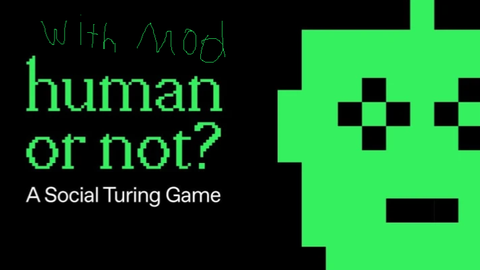
Opponent Type Shower
Player or AI
paiderby954Published 5
1 year ago
Please login to perform these actions:Opponent Type Shower is a Player or AI script for Roblox, uploaded to ScriptBlox on Aug 26, 2025.
Does it work?
No reports yetNo reports yet. Tried it? Be the first to say.
Also noticed:
Description
Shows opponent type when u click the show opponent type, invokes a remotefunction that gets opponent type and puts the result in the text
local plr = game.Players.LocalPlayer
local rs = game:GetService("ReplicatedStorage")
local gui = Instance.new("ScreenGui", plr:WaitForChild("PlayerGui"))
local f = Instance.new("Frame", gui)

f.Size = UDim2.new(0, 250, 0, 160)
f.Position = UDim2.new(0.5, 0, 0.5, 0)
f.AnchorPoint = Vector2.new(0.5, 0.5)
f.BackgroundColor3 = Color3.fromRGB(45, 45, 45)
f.BackgroundTransparency = 0.1
f.BorderSizePixel = 0
f.Active = true
f.Draggable = true

local x = Instance.new("TextButton", f)
x.Size = UDim2.new(0, 24, 0, 24)
x.Position = UDim2.new(1, -28, 0, 8)
x.Text = "×"
x.Font = Enum.Font.SourceSansBold
x.TextColor3 = Color3.fromRGB(255, 255, 255)
x.TextSize = 18
x.BackgroundColor3 = Color3.fromRGB(200, 50, 50)
x.BorderSizePixel = 0
x.ZIndex = 2

local b = Instance.new("TextButton", f)
b.Size = UDim2.new(0, 200, 0, 40)
b.Position = UDim2.new(0.5, -100, 0.25, 0)
b.Text = "Show Opponent Type"
b.Font = Enum.Font.SourceSansBold
b.TextSize = 14
b.TextColor3 = Color3.fromRGB(255, 255, 255)
b.BackgroundColor3 = Color3.fromRGB(70, 130, 255)
b.BorderSizePixel = 0
b.ClipsDescendants = true

b.MouseEnter:Connect(function()
	b.BackgroundColor3 = Color3.fromRGB(60, 120, 240)
end)
b.MouseLeave:Connect(function()
Comments
0Log in to join the conversation. Login
No comments yet. Be the first!