1.6k Views
2.6k Executions
auto 10M Glitch VISUAL BTW
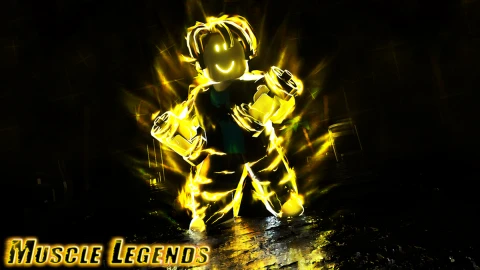
Muscle Legends
emmanuel123scripterFirst script
4 months ago
Please login to perform these actions:auto 10M Glitch VISUAL BTW is a Muscle Legends script for Roblox, uploaded to ScriptBlox on Jul 27, 2026.
Does it work?
No reports yetNo reports yet. Tried it? Be the first to say.
Also noticed:
Description
just select an pet and Click start the blue button that says selected ( the pet name name ) and done visual btw
Updates
Script edited: Update script
local Players = game:GetService("Players")
local player = Players.LocalPlayer

local screenGui = Instance.new("ScreenGui")
screenGui.Name = "PetSelectorUI"
screenGui.ResetOnSpawn = false
screenGui.Parent = player:WaitForChild("PlayerGui")

local mainFrame = Instance.new("Frame")
mainFrame.Size = UDim2.new(0, 260, 0, 210)
mainFrame.Position = UDim2.new(0.5, -130, 0.5, -105)
mainFrame.BackgroundColor3 = Color3.fromRGB(35, 35, 35)
mainFrame.BorderSizePixel = 0
mainFrame.Active = true
mainFrame.Draggable = true
mainFrame.Parent = screenGui

local uiCorner = Instance.new("UICorner")
uiCorner.CornerRadius = UDim.new(0, 8)
uiCorner.Parent = mainFrame

local playerLabel = Instance.new("TextLabel")
playerLabel.Size = UDim2.new(1, -40, 0, 25)
playerLabel.Position = UDim2.new(0, 10, 0, 5)
playerLabel.BackgroundTransparency = 1
playerLabel.Text = "Player: " .. player.Name
playerLabel.TextColor3 = Color3.fromRGB(200, 200, 200)
playerLabel.TextSize = 12
playerLabel.Font = Enum.Font.SourceSansBold
playerLabel.TextXAlignment = Enum.TextXAlignment.Left
playerLabel.Parent = mainFrame

local closeButton = Instance.new("TextButton")
closeButton.Size = UDim2.new(0, 25, 0, 25)
closeButton.Position = UDim2.new(1, -30, 0, 5)
closeButton.BackgroundColor3 = Color3.fromRGB(200, 50, 50)
closeButton.Text = "X"
closeButton.TextColor3 = Color3.fromRGB(255, 255, 255)
closeButton.TextSize = 14
closeButton.Font = Enum.Font.SourceSansBold


visual btw