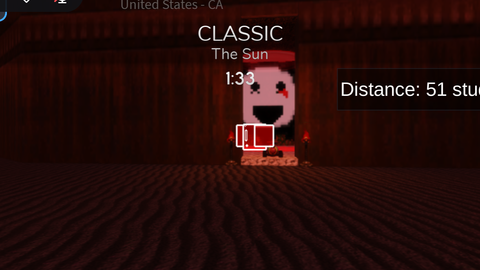
Highlight Killers and Distance Determiner
Midnight Horrors
Highlight Killers and Distance Determiner is a Midnight Horrors script for Roblox, uploaded to ScriptBlox on Feb 14, 2025.
Does it work?
No reports yetNo reports yet. Tried it? Be the first to say.
Description
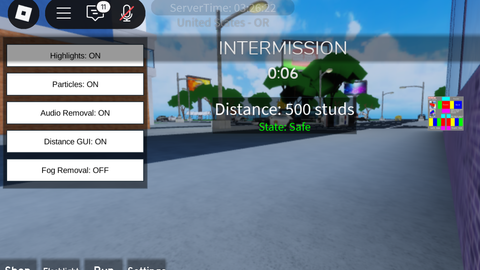
Finally, a midnight horrors script… The script features: - Distance GUI You’ll be able to see how many studs a killer is close to you. The maximum studs is 500 and the GUI is moveable. - Highlight Killers You can see highlighted models, parts, decals, meshparts etc. of a killer, even through walls. (Not all killers are highlighted which I am aware of and still investigating.) - Remove round sound. Specifically for mobile, round sounds can be very annoying and the adjust settings are extremely buggy for mobile. Since MH developers are too lazy to fix this, round sounds will be removed for every map when script is executed. Feel free to comment any suggestions or whatever.
local Players = game:GetService("Players")
local RunService = game:GetService("RunService")
local UserInputService = game:GetService("UserInputService")

local localPlayer = Players.LocalPlayer
local playerGui = localPlayer:WaitForChild("PlayerGui")

-- Create the ScreenGui
local screenGui = Instance.new("ScreenGui")
screenGui.Name = "ProximityGui"
screenGui.ResetOnSpawn = false -- Ensure the GUI doesn't reset when the player respawns
screenGui.Parent = playerGui

local frame = Instance.new("Frame")
frame.Size = UDim2.new(0, 200, 0, 50)
frame.Position = UDim2.new(0.5, -100, 0, 50)
frame.BackgroundColor3 = Color3.fromRGB(0, 0, 0)
frame.BackgroundTransparency = 0.5
frame.Active = true
frame.Draggable = true
frame.Parent = screenGui

local textLabel = Instance.new("TextLabel")
textLabel.Size = UDim2.new(1, 0, 1, 0)
textLabel.Position = UDim2.new(0, 0, 0, 0)
textLabel.BackgroundTransparency = 1
textLabel.TextColor3 = Color3.fromRGB(255, 255, 255)
textLabel.TextScaled = true
textLabel.Text = "Distance: 0 studs"
textLabel.Parent = frame

local function createHighlight(part)
    local highlight = Instance.new("Highlight")
    highlight.FillColor = Color3.fromRGB(255, 0, 0) -- Red color for highlighting
    highlight.OutlineColor = Color3.fromRGB(255, 255, 255) -- White outline
    highlight.FillTransparency = 0.5 -- Semi-transparent fill
    highlight.Parent = part
end

local function createHighlightForDecal(decal)
![[GODZILLA EARTH] Age of Titans](https://tr.rbxcdn.com/180DAY-c397c3a77203c5102781a9835a36bc9a/480/270/Image/Webp/noFilter)
![[STRESS TEST] Playground Basketball🏀](https://tr.rbxcdn.com/180DAY-8164291d7d1464f3e10bd1ea31861cef/480/270/Image/Webp/noFilter)
![Driving Empire [RP SERVERS✨]](https://tr.rbxcdn.com/180DAY-2a95ac709590c069510d0bd670975e16/480/270/Image/Webp/noFilter)