608 Views
137 Executions
GLAS BRIDGE GUI FARM
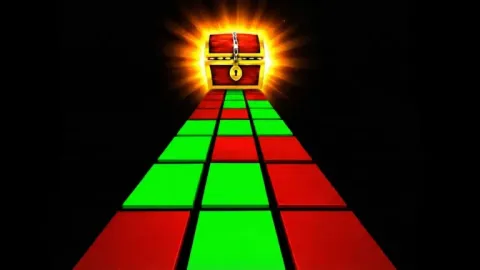
Memory Glass Bridge
w3asPublished 5
8 months ago
Please login to perform these actions:GLAS BRIDGE GUI FARM is a Memory Glass Bridge script for Roblox, uploaded to ScriptBlox on Mar 17, 2026.
Does it work?
No reports yetNo reports yet. Tried it? Be the first to say.
Also noticed:
Description
TP TO END, REVEAL ALL GLASS
if game.CoreGui:FindFirstChild("guns.lol_w3as") then return end

local TweenService = game:GetService("TweenService")

local ScreenGui = Instance.new("ScreenGui")
ScreenGui.Name = "guns.lol_w3as"
ScreenGui.ResetOnSpawn = false
ScreenGui.Parent = game:GetService("CoreGui")

local Frame = Instance.new("Frame")
Frame.Size = UDim2.new(0, 300, 0, 160)
Frame.Position = UDim2.new(0.5, -150, 0.3, -80)
Frame.BorderSizePixel = 0
Frame.Parent = ScreenGui

local UICorner = Instance.new("UICorner")
UICorner.CornerRadius = UDim.new(0, 10)
UICorner.Parent = Frame

local TopBar = Instance.new("Frame")
TopBar.Size = UDim2.new(1, 0, 0, 30)
TopBar.BackgroundTransparency = 1
TopBar.Parent = Frame

local Title = Instance.new("TextLabel")
Title.Size = UDim2.new(0.7, 0, 1, 0)
Title.Position = UDim2.new(0, 10, 0, 0)
Title.Text = "guns.lol/w3as"
Title.TextColor3 = Color3.fromRGB(0, 0, 0)
Title.BackgroundTransparency = 1
Title.Font = Enum.Font.SourceSansBold
Title.TextSize = 18
Title.Parent = TopBar

local CloseBtn = Instance.new("TextButton")
CloseBtn.Size = UDim2.new(0, 30, 0, 30)
CloseBtn.Position = UDim2.new(1, -30, 0, 0)
CloseBtn.Text = "x"
CloseBtn.TextColor3 = Color3.fromRGB(0, 0, 0)
CloseBtn.BackgroundTransparency = 1
Comments
0Log in to join the conversation. Login
No comments yet. Be the first!