1.8k Views
84 Executions

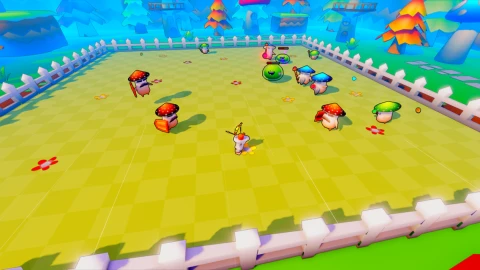
Ez Win is a Loot Hero script for Roblox, uploaded to ScriptBlox on Jan 19, 2026.
Does it work?
No reports yetNo reports yet. Tried it? Be the first to say.
Also noticed:
Description
EXECUTE IN AN ACTUAL MAP NOT THE LOBBY Godmode Weapon Mods Show/hide gui button
--[[
	WARNING: Heads up! This script has not been verified by ScriptBlox. Use at your own risk!
]]
-- Full Stats GUI (WORKING + Safe Show/Hide)

-- Services
local Players = game:GetService("Players")
local ReplicatedStorage = game:GetService("ReplicatedStorage")

-- Remotes
local Heal = ReplicatedStorage.Remotes.Heal
local Money = ReplicatedStorage.Remotes.Money
local Choice = ReplicatedStorage.Remotes.Choice

-- States
local dmgEnabled = false
local rangeEnabled = false
local atkSpeedEnabled = false
local maxHpEnabled = false
local healEnabled = false
local goldEnabled = false

-- GUI
local gui = Instance.new("ScreenGui")
gui.Name = "StatsGUI"
gui.ResetOnSpawn = false
gui.Parent = Players.LocalPlayer:WaitForChild("PlayerGui")

------------------------------------------------
-- SHOW / HIDE BUTTON (ALWAYS VISIBLE)
------------------------------------------------

local toggleGuiButton = Instance.new("TextButton")
toggleGuiButton.Size = UDim2.new(0, 120, 0, 30)
toggleGuiButton.Position = UDim2.new(0, 20, 0, 20)
toggleGuiButton.Text = "Hide GUI"
toggleGuiButton.BackgroundColor3 = Color3.fromRGB(60, 60, 60)
toggleGuiButton.TextColor3 = Color3.new(1, 1, 1)
toggleGuiButton.Parent = gui

It is w but how do I make the gui smaller it bigger then my screen
Yo
w
Work - like script
Can you hide the ui?
@m94435507 added just now
works perfectly.. but definitely need to either be draggable or be able to shrink it!!please
W