942 Views
2.5k Executions
Auto QTE
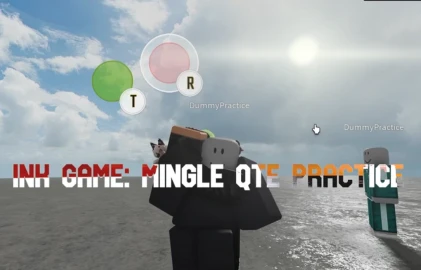
Ink game: Mingle practice QTE System RESET
3 months ago
Please login to perform these actions:Auto QTE is an Ink game: Mingle practice QTE System RESET script for Roblox, uploaded to ScriptBlox on Aug 11, 2026.
Does it work?
No reports yetNo reports yet. Tried it? Be the first to say.
Also noticed:
Description
Just run the script and it automatically does the QTEs for you, you have to have the difficulty set to 0.7 though and you have to rerun the script every time you die
print("Auto QTE executed")

getgenv().conns = getgenv().conns or {}

for i, v in pairs(getgenv().conns) do
    v:Disconnect()
end

local virtualUser = game:GetService("VirtualUser")
local UserInputService = game:GetService("UserInputService")
local VirtualInput = UserInputService:CreateVirtualInput()

local player = game:GetService("Players").LocalPlayer
local playerGui = player.PlayerGui
local path = playerGui:WaitForChild("ScreenGuiAhorcamiento"):WaitForChild("FrameContenedorQTE")
local target = "ImageLabelObjetivo"
local matcher = "ImageLabelRetraido"

local sg = Instance.new("ScreenGui", playerGui)
sg.Name = "exploitqtetest"

local keys = {["A"] = Enum.KeyCode.A, ["B"] = Enum.KeyCode.B, ["C"] = Enum.KeyCode.C, ["D"] = Enum.KeyCode.D, ["E"] = Enum.KeyCode.E,["F"] = Enum.KeyCode.F,["G"] = Enum.KeyCode.G,["H"] = Enum.KeyCode.H,["I"] = Enum.KeyCode.I,["J"] = Enum.KeyCode.J,["K"] = Enum.KeyCode.K,["L"] = Enum.KeyCode.L,["M"] = Enum.KeyCode.M,["N"] = Enum.KeyCode.N,["O"] = Enum.KeyCode.O,["P"] = Enum.KeyCode.P,["Q"] = Enum.KeyCode.Q,["R"] = Enum.KeyCode.R,["S"] = Enum.KeyCode.S,["T"] = Enum.KeyCode.T,["U"] = Enum.KeyCode.U,["V"] = Enum.KeyCode.V,["W"] = Enum.KeyCode.W,["X"] = Enum.KeyCode.X,["Y"] = Enum.KeyCode.Y,["Z"] = Enum.KeyCode.Z}

connect = path.ChildAdded:Connect(function(child)
print("new child")
    if child.Name == "FrameQTE" then
        local object = child:WaitForChild(target)
        local match = child:WaitForChild(matcher)
        local key = child:WaitForChild("TextLabel").Text
        print("New qte", key)

        repeat task.wait() until match.AbsoluteSize.X < object.AbsoluteSize.X and match.AbsoluteSize.Y < object.AbsoluteSize.Y

        task.wait(0.1)

        VirtualInput:SendKey(true, keys[key], false)
        print("pressed", key)
        task.wait()
        VirtualInput:SendKey(false, keys[key])
        print("released", key)
Comments
0Log in to join the conversation. Login
No comments yet. Be the first!