12.2k Views
10 Executions
D00zPgui v2 is a Home Tree script for Roblox, uploaded to ScriptBlox on Oct 9, 2024.
Does it work?
No reports yetNo reports yet. Tried it? Be the first to say.
Also noticed:
Description
gui No skip souhi14Alt on top And Do0ZpK1dD On ToP
-- Monstrum's Gui to Lua\n-- Version: 3.2

-- Instances:

local ScreenGui = Instance.new("ScreenGui")
local Frame = Instance.new("Frame")
local ScrollingFrame = Instance.new("ScrollingFrame")
local TextLabel = Instance.new("TextLabel")
local TextLabel_2 = Instance.new("TextLabel")
local TextLabel_3 = Instance.new("TextLabel")
local _666 = Instance.new("TextButton")
local decal = Instance.new("TextButton")
local disco = Instance.new("TextButton")
local hint = Instance.new("TextButton")
local jump = Instance.new("TextButton")
local message = Instance.new("TextButton")
local parts = Instance.new("TextButton")
local theme = Instance.new("TextButton")
local shut = Instance.new("TextButton")
local sky = Instance.new("TextButton")
local eses = Instance.new("TextButton")
local unanchor = Instance.new("TextButton")

--Properties:

ScreenGui.Parent = game.Players.LocalPlayer:WaitForChild("PlayerGui")
ScreenGui.ZIndexBehavior = Enum.ZIndexBehavior.Sibling

Frame.Parent = ScreenGui
Frame.BackgroundColor3 = Color3.fromRGB(0, 0, 0)
Frame.BorderColor3 = Color3.fromRGB(130, 22, 130)
Frame.BorderSizePixel = 5
Frame.Position = UDim2.new(0.358271539, 0, 0.266487002, 0)
Frame.Size = UDim2.new(0, 486, 0, 449)

ScrollingFrame.Parent = Frame
ScrollingFrame.Active = true
ScrollingFrame.BackgroundColor3 = Color3.fromRGB(130, 22, 130)
ScrollingFrame.BorderColor3 = Color3.fromRGB(0, 0, 0)
ScrollingFrame.Position = UDim2.new(0.0542240441, 0, 0.06919498, 0)

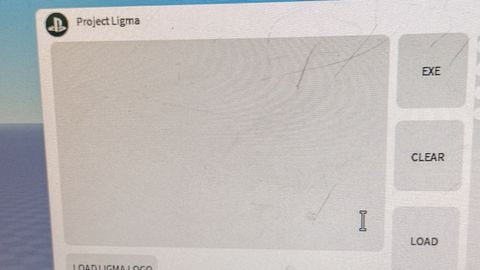

sadly it doesnt show up for everyone, it shows only for you awh man.
Nice
BRO PATCHED!
F1
Ff