7.9k Views
483 Executions

Speed changer is a Fencing HD script for Roblox, uploaded to ScriptBlox on Jul 7, 2025.
Does it work?
No reports yetNo reports yet. Tried it? Be the first to say.
Also noticed:
Description
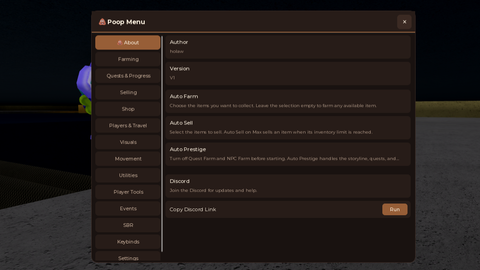
Idk but this Gui make your speed Change!
local Players = game:GetService("Players")
local player = Players.LocalPlayer
local character = player.Character or player.CharacterAdded:Wait()

-- Buat GUI
local screenGui = Instance.new("ScreenGui", player:WaitForChild("PlayerGui"))
screenGui.Name = "SpeedGui"

local frame = Instance.new("Frame", screenGui)
frame.Size = UDim2.new(0, 200, 0, 220)
frame.Position = UDim2.new(0.05, 0, 0.5, -110)
frame.BackgroundColor3 = Color3.fromRGB(40, 40, 40)
frame.Active = true
frame.Draggable = true

local title = Instance.new("TextLabel", frame)
title.Size = UDim2.new(1, 0, 0, 30)
title.Text = "Speed Control"
title.BackgroundColor3 = Color3.fromRGB(80, 0, 100)
title.TextColor3 = Color3.fromRGB(255, 255, 255)
title.Font = Enum.Font.SourceSansBold
title.TextSize = 20

-- Fungsi ubah kecepatan
local function setSpeed(speed)
	local char = player.Character
	if char and char:FindFirstChildOfClass("Humanoid") then
		char:FindFirstChildOfClass("Humanoid").WalkSpeed = speed
	end
end

-- Tombol-tombol speed
local speeds = {16, 50, 100, 200}
for i, speed in ipairs(speeds) do
	local btn = Instance.new("TextButton", frame)
	btn.Size = UDim2.new(1, -20, 0, 30)
	btn.Position = UDim2.new(0, 10, 0, 30 + (i - 1) * 35)
	btn.Text = "Speed: " .. speed
	btn.BackgroundColor3 = Color3.fromRGB(0, 170, 0)
	btn.TextColor3 = Color3.fromRGB(255, 255, 255)
Comments
0Log in to join the conversation. Login
No comments yet. Be the first!