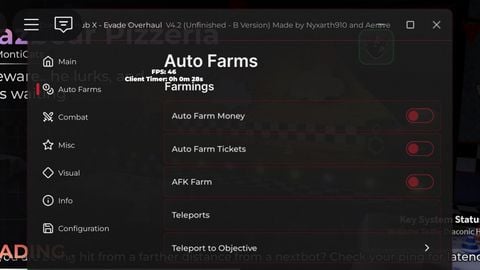
Draconic Hub X NEW v3.2
Description
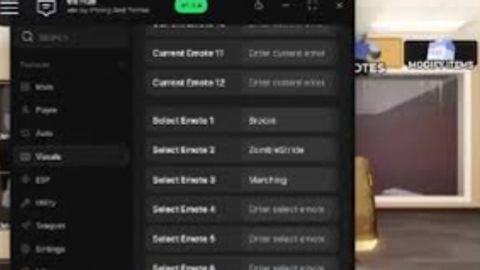
Reminder: Key system is bypas️sable on izen.lol CHANGELOGS : 1. Added Player Glow to Main > Highlight 2. Added Bot Glow to Main > Highlight 3. Fixed Auto Farm Money, it's working now! 4. Added a new modification for the Baton weapon in Misc > Gun Function 5. Removed Event Has Key System Connected To Lootlink, Just Click Get Key And Paste It To Your Browser. key is bypa️ssable, on izen.lol Draconic Hub X Features : Tab 1 -[Main]- • Billboard ESP > Billboard Nextbots > Billboard Players > Billboard Tickets • Tracer ESP > Tracer Players > Tracer Bots • Main Modification > Auto Respawn • Respawn Types ✓1. Spawnpoint ✓2. Fake Revive > Anti-AFK > Auto Whistle > Remove Damage Objects > Remove Reducing Rewards > No Camera Shake > Show Timer • Player Modification > Noclip > Fly Toggle > Fly Speed > Respawn Button > Bypass Battlepass Timer > Open Token Exchange > Open Leaderboard • Auto Farms > Auto Farm Money > Auto Farm (Event) Tickets > AFK Farm > Teleport To Objective • Combat > Anti-Nextbot Toggle > Anti-Nextbot Teleport Types - Spawn - Players > Anti-Nextbot Distances ( Any Value, Numbers 1 to ---- / Your Value Choice. ) • Misc Player Adjustments > Player Speed > Player Jump > Player Jump Acceleration > Player Jump Cap > Player Strafe Acceleration • Jump Power Toggle Player Jump Power ( Value ) • Walkspeed Toggle Player Walkspeed ( Value ) - Utilities > Lag Switch (Button) > Lag Switch Keybind > Lag Switch Gui Size > Lag Delay > FPS Minimum > Modify Bounce (toggle) > Super Bounce (toggle) - Player Bounce (Value) - Emote Bounce (Value) • Camera Adjustments > Stretch Horizontal > Stretch Vertical > Player FOV Set Camera Stretch > Enable Front Camera - Gun Adjustments Set to Infinite Ammo - Game Automations > Instant Revive > Instant Revive (Button) > Instant Revive Gui Size > Instant Revive While Emote > Revive Delay > Auto Carry (Button) > Auto Carry Gui Size > Carry While Emote > Keybind To Carry > Auto Emote Dash Button > Auto Emote Dash Gui Size > Keybind To Emote Dash > Select Emote ID - Movement Modification > Sprint Emote Dash > Sprint Emote Type (I Forgot To Screenshot The Types, Sorry > Sprint Emote Speed (Value) > Sprint Emote Acceleration (Negative Only) > Sprint Slide > Sprint Slide (Button) > Sprint Slide Gui Size > Slide Speed (Negative Only) > Gravity Button > Gravity Gui Size (Value) > Gravity Keybind > Gravity Adjustment (Value) > BHOP (Button) > BHOP (Jump Button) > Keybind To BHOP > BHOP Gui Size > Select BHOP Version (i also forgot to screenshot the types/versions, same in Jump Types, Crouch Types) > Select Jump Type > Legit Mode (BETA) > BHOP Accelerator (Negative Only) > Auto Crouch (Button) > Auto Crouch Gui Size (Value) > Select Crouch Type - Client Modification > Full Bright > Hide Players > Anti Lag 1 > Anti Lag 2 > Anti Lag 3 > Accurage Low Quality [FastFlag] • Visual (IDK If I'm Correct.) - Cosmetics Changer > Current Cosmetics 1 (That You Have Equipped / On. ) > Current Cosmetics 2 (That You Have Equipped / On. ) > Current Effect (Equipped Effect) > Current Character (Equipped Character) > Select Cosmetics 1 (Cosmetic Name You Wanted To Equip / Put ) > Select Cosmetics 2 > Select Effect > Select Character -> Apply Cosmetics <- - Emote Changer > Current Emote 1 > Current Emote 2 > Current Emote 3 > Current Emote 4 > Current Emote 5 > Current Emote 6 > Select Emote 1 > Select Emote 2 > Select Emote 3 > Select Emote 4 > Select Emote 5 > Select Emote 6 -> Apply Emotes <-
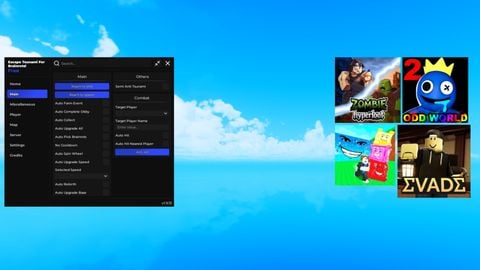
 King's Hub | 7+ Games | Free Premium Script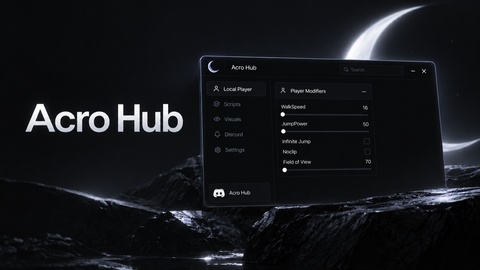

The website doesn't do anything, how do I get key😭😭
@AZK_MELO "MiBombo"
"Error: Invalid Hash". What's that and how to fix that 😭😭
@wwzersoik You Can EASILY get the key on Bypass.VIP when site loaded , click enter the URL It will go to advertismnet site dont scare get back it will give you access to Bypass every thing you want Ad-Link AuthPlatoRelay (and my script key system) Lootlinks // you can bypass izen.lol with byp*Vip it created by my brother , every thing you want you can bypass with our byp*er easily just one click (click BYPASS) i get delta and KRNL and every executor key and scripts with my site with custom API make sure to follow us
I literally clicked continue and it didn't do anything
@AZK_MELO idk about that, but I'm sure it's keyless because it's Saturday today.
!! Please Read Description. !!
@InfiniteSunnySideup Nahh, you cooking 💀💀
@zetakenneth5 i wasn't lazy that time so i listed (almost) all of the features
Mn cade a atualização do script
ну и хуйня не рабочая после смерти зависает и все нахуй пизда игре
you guys need to sleep little bit and trying to solve whats the key LOL the key is already written on the script key menu the key is "FREE_KEY"
but the features is soo bad