46.0k Views
506 Executions
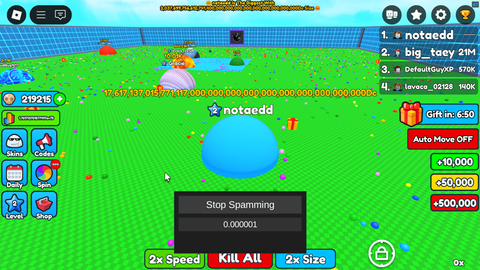
Speed GUI
Eat Blobs Simulator
El_EscarabajoFirst script
2 years ago
Please login to perform these actions:Speed GUI is an Eat Blobs Simulator script for Roblox, uploaded to ScriptBlox on Sep 13, 2024.
Does it work?
No reports yetNo reports yet. Tried it? Be the first to say.
Also noticed:
Description
Speed GUI 200%
local OrionLib = loadstring(game:HttpGet(('https://raw.githubusercontent.com/shlexware/Orion/main/source')))()
local Window = OrionLib:MakeWindow({Name = "Control de Velocidad", HidePremium = false, SaveConfig = true, ConfigFolder = "OrionTest"})

local Players = game:GetService("Players")
local RunService = game:GetService("RunService")
local UserInputService = game:GetService("UserInputService")

local LocalPlayer = Players.LocalPlayer
local Character = LocalPlayer.Character or LocalPlayer.CharacterAdded:Wait()
local Humanoid = Character:WaitForChild("Humanoid")

-- Configuración
local Config = {
    NormalSpeed = 16, -- Velocidad normal del juego
    SprintSpeed = 64, -- Velocidad de sprint
    SuperSpeed = 200, -- Velocidad súper rápida
    CurrentSpeedMultiplier = 1, -- Multiplicador de velocidad actual
    SprintKey = Enum.KeyCode.LeftShift, -- Tecla para activar el sprint
    SuperSpeedKey = Enum.KeyCode.LeftControl -- Tecla para activar la súper velocidad
}

-- Función para actualizar la velocidad
local function updateSpeed()
    if Humanoid then
        Humanoid.WalkSpeed = Config.NormalSpeed * Config.CurrentSpeedMultiplier
    end
end

-- Función para manejar el cambio de personaje
local function onCharacterAdded(newCharacter)
    Character = newCharacter
    Humanoid = newCharacter:WaitForChild("Humanoid")
    updateSpeed()
end

-- Conectar la función al evento CharacterAdded
LocalPlayer.CharacterAdded:Connect(onCharacterAdded)

-- Manejar las entradas del teclado
UserInputService.InputBegan:Connect(function(input, gameProcessedEvent)
Comments
0Log in to join the conversation. Login
No comments yet. Be the first!