585 Views
1.2k Executions
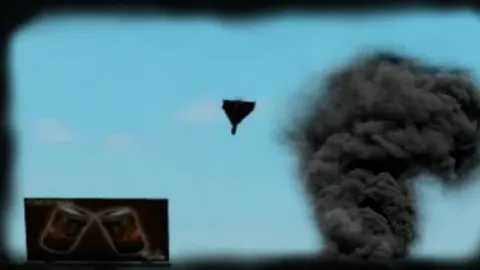
DP Crasher is a DronePoint script for Roblox, uploaded to ScriptBlox on Aug 25, 2026.
Does it work?
No reports yetNo reports yet. Tried it? Be the first to say.
Also noticed:
Description
shutdown and lag servers not mine
-- Создаем ScreenGui
local screenGui = Instance.new("ScreenGui")
screenGui.Name = "DronePointCrasherAI"
screenGui.Parent = game.Players.LocalPlayer.PlayerGui
screenGui.ResetOnSpawn = false

-- Создаем основной фрейм (окно GUI)
local frame = Instance.new("Frame")
frame.Name = "MainFrame"
frame.Size = UDim2.new(0, 200, 0, 120)
frame.Position = UDim2.new(0.5, -100, 0.5, -60)
frame.BackgroundColor3 = Color3.fromRGB(30, 30, 40)
frame.BackgroundTransparency = 0.1
frame.BorderSizePixel = 2
frame.BorderColor3 = Color3.fromRGB(100, 200, 255)
frame.Active = true
frame.Draggable = true -- Делаем окно перетаскиваемым
frame.Parent = screenGui

-- Заголовок
local title = Instance.new("TextLabel")
title.Name = "Title"
title.Size = UDim2.new(1, 0, 0, 30)
title.Position = UDim2.new(0, 0, 0, 0)
title.BackgroundTransparency = 1
title.Text = "Drone Point Crasher"
title.TextColor3 = Color3.fromRGB(100, 200, 255)
title.TextScaled = true
title.Font = Enum.Font.GothamBold
title.Parent = frame

-- Кнопка Crash
local crashButton = Instance.new("TextButton")
crashButton.Name = "CrashButton"
crashButton.Size = UDim2.new(0, 120, 0, 40)
crashButton.Position = UDim2.new(0.5, -60, 0.5, 5)
crashButton.BackgroundColor3 = Color3.fromRGB(255, 50, 50)
crashButton.BorderSizePixel = 0
crashButton.Text = "CRASH"
crashButton.TextColor3 = Color3.fromRGB(255, 255, 255)
Comments
0Log in to join the conversation. Login
No comments yet. Be the first!