2.2k Views
14 Executions
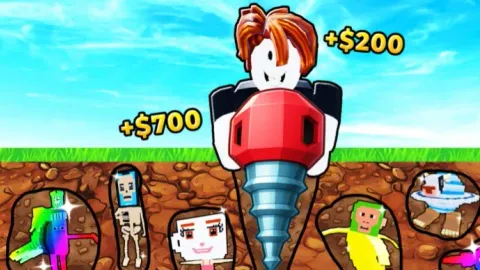
AutoFarm and Claim All Tiers Without Waiting OP SCRIPT
Dig to Save Brainrot
1 year ago
Please login to perform these actions:AutoFarm and Claim All Tiers Without Waiting OP SCRIPT is a Dig to Save Brainrot script for Roblox, uploaded to ScriptBlox on Sep 29, 2025.
Does it work?
No reports yetNo reports yet. Tried it? Be the first to say.
Also noticed:
Description
AutoFarm Claim All Tiers Without Waiting!
local Players = game:GetService("Players")
local ReplicatedStorage = game:GetService("ReplicatedStorage")
local TweenService = game:GetService("TweenService")
local UserInputService = game:GetService("UserInputService")
local CoreGui = game:GetService("CoreGui")

local client = Players.LocalPlayer
local KEYBIND = Enum.KeyCode.M

local gui = Instance.new("ScreenGui", CoreGui)
gui.Name = "AkifAutoFarm_Final"
gui.IgnoreGuiInset = true
gui.ResetOnSpawn = false

local window = Instance.new("Frame", gui)
window.Size = UDim2.fromOffset(280, 200)
window.Position = UDim2.new(0.5, -140, 0.5, -100)
window.BackgroundColor3 = Color3.fromRGB(24, 25, 26)
window.BorderSizePixel = 0
window.Active = true
window.Draggable = true
window.Visible = false

local windowCanvas = Instance.new("CanvasGroup", window)
local corner = Instance.new("UICorner"); corner.CornerRadius = UDim.new(0, 8); corner.Parent = window
local stroke = Instance.new("UIStroke"); stroke.Color = Color3.fromRGB(10, 11, 12); stroke.Thickness = 1; stroke.Parent = window
local pad = Instance.new("UIPadding"); pad.PaddingTop=UDim.new(0,12); pad.PaddingLeft=UDim.new(0,12); pad.PaddingRight=UDim.new(0,12); pad.PaddingBottom=UDim.new(0,12); pad.Parent = window
local titleBar = Instance.new("Frame", window)
titleBar.Size = UDim2.new(1, 0, 0, 32); titleBar.BackgroundTransparency = 1

local title = Instance.new("TextLabel", titleBar)
title.Size = UDim2.new(1, 0, 1, 0); title.BackgroundTransparency = 1; title.TextXAlignment = Enum.TextXAlignment.Left; title.Font = Enum.Font.GothamBold; title.TextSize = 16; title.TextColor3 = Color3.fromRGB(255, 255, 255); title.Text = "AutoFarm"
local subtitle = Instance.new("TextLabel", titleBar)
subtitle.Size = UDim2.new(1, 0, 1, 0); subtitle.BackgroundTransparency = 1; subtitle.TextXAlignment = Enum.TextXAlignment.Right; subtitle.Font = Enum.Font.Gotham; subtitle.TextSize = 14; subtitle.TextColor3 = Color3.fromRGB(150, 155, 170); subtitle.Text = "by AkifRzayev"

local list = Instance.new("UIListLayout", window)
list.Padding = UDim.new(0, 10)
list.SortOrder = Enum.SortOrder.LayoutOrder

local buttonHolder = Instance.new("Frame", window)

good script