340 Views
11 Executions
Love Hub (v2.2)
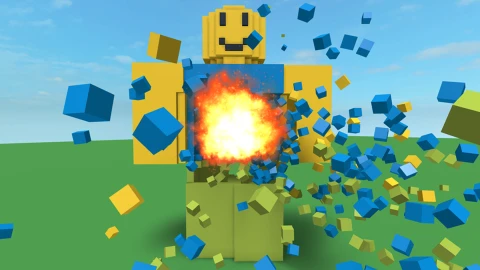
Destruction Simulator
4 days ago · Updated
Reviewed by MatttsPaid revieweron How review works
Love Hub (v2.2) is a Destruction Simulator script for Roblox, uploaded to ScriptBlox on Oct 30, 2026. Reviewed by a person on Nov 2, 2026.
Does it work?
Early reports100% say it works · 1 report in the last 2 weeks
Also noticed:
Description
Features : • Generate Coin • Generate Level • Speed Boost • Jump Boost
local Players = game:GetService("Players")
local ReplicatedStorage = game:GetService("ReplicatedStorage")
local UserInputService = game:GetService("UserInputService")

local player = Players.LocalPlayer
local playerGui = player:WaitForChild("PlayerGui")

-- 1. สร้าง ScreenGui หลัก
local screenGui = Instance.new("ScreenGui")
screenGui.Name = "LoveHubGui"
screenGui.ResetOnSpawn = false
screenGui.Parent = playerGui

-- 2. สร้างกรอบหน้าต่าง (Frame)
local frame = Instance.new("Frame")
frame.Size = UDim2.new(0, 250, 0, 245)
frame.Position = UDim2.new(0.5, -125, 0.5, -122)
frame.BackgroundColor3 = Color3.fromRGB(45, 45, 45)
frame.BorderSizePixel = 0
frame.Parent = screenGui

-- 3. แถบหัวข้อ Hub (ใช้สำหรับกดคลิกค้างเพื่อลาก)
local titleBar = Instance.new("TextLabel")
titleBar.Size = UDim2.new(1, 0, 0, 35)
titleBar.BackgroundColor3 = Color3.fromRGB(25, 25, 25)
titleBar.TextColor3 = Color3.fromRGB(255, 255, 255)
titleBar.Text = "Love Hub"
titleBar.Font = Enum.Font.SourceSansBold
titleBar.TextSize = 18
titleBar.Parent = frame

-- ระบบลากหน้าต่าง (Dragging)
local dragging
local dragInput
local dragStart
local startPos

titleBar.InputBegan:Connect(function(input)
    if input.UserInputType == Enum.UserInputType.MouseButton1 or input.UserInputType == Enum.UserInputType.Touch then
        dragging = true
Comments
0Log in to join the conversation. Login
No comments yet. Be the first!


