402 Views
11 Executions
Pls create an script of this Game
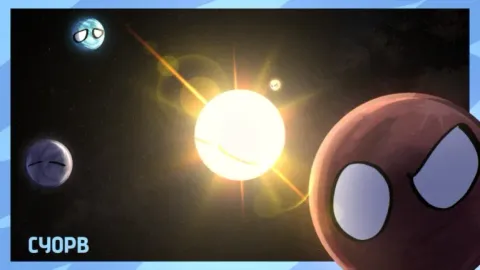
Create Your Own Planetball!Uploaded by 6 months ago
Please login to perform these actions:Description
Nobody
Comments
5

Offline
Lisasimpson 6 months ago
Create!!!
LisasimpsonCreate!!!
Offline
Aegis 6 months ago
@Lisasimpson what would you want in it
Offline
Splin 4 months ago
local ScreenGui = Instance.new("ScreenGui")
local MainFrame = Instance.new("Frame")
local ScrollingFrame = Instance.new("ScrollingFrame")
local UIListLayout = Instance.new("UIListLayout")
local *le = Instance.new("TextLabel")
-- Setup GUI
ScreenGui.Parent = game.Players.LocalPlayer:WaitForChild("PlayerGui")
ScreenGui.ResetOnS* = false
MainFrame.Name = "ControlPanel"
MainFrame.Parent = ScreenGui
MainFrame.BackgroundColor3 = Color3.fromRGB(25, 25, 25)
MainFrame.Position = UDim2.new(0.1, 0, 0.2, 0)
MainFrame.Size = UDim2.new(0, 200, 0, 400)
MainFrame.Active = true
MainFrame.Draggable = true -- Move it anywhere!
*le.Parent = MainFrame
*le.Size = UDim2.new(1, 0, 0, 30)
*le.Text = "100 BUTTON PANEL"
*le.TextColor3 = Color3.new(1, 1, 1)
*le.BackgroundColor3 = Color3.fromRGB(45, 45, 45)
ScrollingFrame.Parent = MainFrame
ScrollingFrame.Size = UDim2.new(1, 0, 1, -30)
ScrollingFrame.Position = UDim2.new(0, 0, 0, 30)
ScrollingFrame.Canv*ize = UDim2.new(0, 0, 15, 0) -- Makes it scrollable for 100 buttons
ScrollingFrame.ScrollBarThickness = 8
UIListLayout.Parent = ScrollingFrame
UIListLayout.Padding = UDim.new(0, 2)
-- Function to generate buttons
local function MakeButton(num, text, color, func)
local btn = Instance.new("TextButton")
btn.Parent = ScrollingFrame
btn.Size = UDim2.new(1, -10, 0, 35)
btn.BackgroundColor3 = color
btn.Text = "[" .. num .. "] " .. text
btn.TextColor3 = Color3.new(1, 1, 1)
btn.Font = Enum.Font.SourceSansBold
btn.TextSize = 14
btn.MouseButton1Click:Connect(func)
end
-- 1. SETUP SPECIFIC BUTTONS (1-5)
MakeButton(1, "EXTREME SPEED", Color3.fromRGB(0, 120, 255), function()
game.Players.LocalPlayer.Character.Humanoid.WalkSpeed = 200
end)
MakeButton(2, "SUPER JUMP", Color3.fromRGB(0, 200, 0), functi
Offline
Splin 4 months ago
If you need to reset
-- Create the GUI Container
local ScreenGui = Instance.new("ScreenGui")
ScreenGui.Name = "CustomButtonGUI"
ScreenGui.Parent = game.Players.LocalPlayer:WaitForChild("PlayerGui")
ScreenGui.ResetOnS* = false
-- Create the Button
local TextButton = Instance.new("TextButton")
TextButton.Name = "ActionButton"
TextButton.Parent = ScreenGui
TextButton.BackgroundColor3 = Color3.fromRGB(200, 0, 0) -- Red Color
TextButton.Position = UDim2.new(0.5, -50, 0.2, 0) -- Centered top
TextButton.Size = UDim2.new(0, 100, 0, 50) -- Button size
TextButton.Text = "RESET"
TextButton.TextColor3 = Color3.fromRGB(255, 255, 255)
TextButton.Font = Enum.Font.SourceSansBold
TextButton.TextSize = 20
-- What the button does when clicked
TextButton.MouseButton1Click:Connect(function()
game.Players.LocalPlayer.Character.Humanoid.Health = 0
print("Button Pressed: Character Reset!")
end)
SplinIf you need to reset
-- Create the GUI Container...
Offline
Lisasimpson 3 months ago
@Splin thanks!!


Clean All The Leaves: Zero Point