Schematics
Build A Boat For Treasure
Reviewed by QueueSherlockPaid revieweron How review works
Schematics is a Build A Boat For Treasure script for Roblox, uploaded to ScriptBlox on Oct 21, 2026. Reviewed by a person on Nov 12, 2026.
Does it work?
No reports yetNo reports yet. Tried it? Be the first to say.
Description
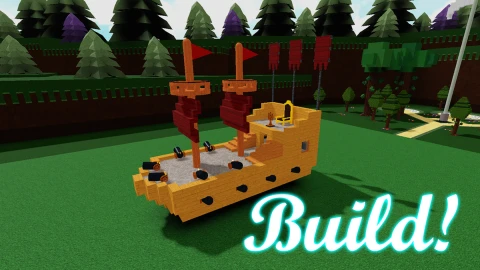
BABFT Schematics BABFT Schematics is a building utility for *Build A Boat For Treasure* that makes saving, managing, previewing, and recreating builds easier. Features - Save Schematics: Save custom builds as JSON files for later use. - Load Schematics: Browse and load previously saved builds. - Build Structures: Recreate structures from saved schematic data. - Hologram Preview: Preview builds before placing them, with visual indicators for missing blocks and mismatched properties. - Hologram Controls: Move and adjust schematic previews before building. - Build Verification: Compare your existing build with the schematic to identify missing blocks, incorrect block types, and rotation differences. - Inventory Check: Check whether you have enough materials for a schematic. - Image Import: Import supported images and convert their pixels into building-block previews. - Schematic Management: Browse, select, and delete saved schematics through an integrated interface. - Team-Relative Coordinates: Save builds relative to team origins, helping them align when loaded on different teams. Designed to make building workflows faster, more organized, and easier to reproduce.
Updates
Script edited: Update script
local Players = game:GetService("Players")
local Workspace = game:GetService("Workspace")
local HttpService = game:GetService("HttpService")
local RunService = game:GetService("RunService")
local Player = Players.LocalPlayer
local ROOT = "BABFT_Schematics"
local CHECK_INTERVAL = 0.3
local POSITION_TOLERANCE = 0.35
local ROTATION_TOLERANCE = math.rad(2)
local Schematics = {}
local Holograms = {}
local HologramOffset = Vector3.zero
local MoveHandles = nil
local MoveAnchor = nil
local MoveEnabled = false
local Checking = false
local LastCheck = 0
local function getFolder(playerName)
playerName = playerName or Player.Name
local blocksRoot = Workspace:FindFirstChild("Blocks")
if not blocksRoot then return nil end
return blocksRoot:FindFirstChild(playerName)
end
local function getPPart(model)
if model:IsA("BasePart") then
return model
end
local part = model:FindFirstChild("PPart", true)
if part and part:IsA("BasePart") then
return part
end
return nil
end
local function getBlocks(playerName)
local result = {}
local folder = getFolder(playerName)
if not folder then return result end
for _, model in ipairs(folder:GetChildren()) do
local part = getPPart(model)
if part then


Hello! Please remove the game name in the title. Thankyou!
@MocjEscanor Ok 👍
it crashes the entire game
@k035946 Thanks for reporting this! The script hasn't crashed during my own tests, but I'll investigate whether large schematics or performance limitations could be causing this. Do you remember what you were doing when the game crashed?
Guys, I made a HUGE MISTAKE WHEN PUBLISHING! I put my Windows username in the code 😭 I published the corrected version, now it works!