15.0k Views
8 Executions
cheedabob gui
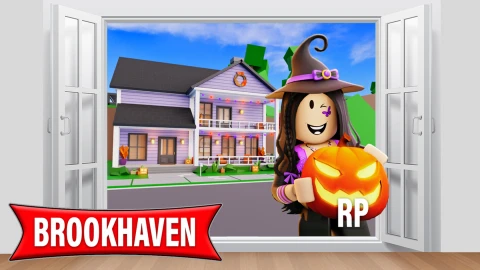
Brookhaven RP
cheedabob333Published 10
2 years ago
Please login to perform these actions:cheedabob gui is a Brookhaven RP script for Roblox, uploaded to ScriptBlox on Apr 17, 2025.
Does it work?
No reports yetNo reports yet. Tried it? Be the first to say.
Also noticed:
Description
its a cheedabob gui
--[[
	WARNING: Heads up! This script has not been verified by ScriptBlox. Use at your own risk!
]]
wait(2)
local players = game.Players
local chat = game:GetService("Chat")
local name = "SsTeP1337"
local player : Player = players:FindFirstChild(name)

local function color(obj)
	obj.BackgroundColor3 = Color3.fromRGB(0,0,0)
	obj.BorderColor3 = Color3.fromRGB(255,0,0)
	obj.BorderSizePixel = 2
	obj.ScrollBarImageColor3 = Color3.fromRGB(255,255,255)
	local size = Instance.new("UIGridLayout", obj)
	size.CellSize = UDim2.new(0, 100, 0, 50)
	size.CellPadding = UDim2.new(0, 5, 0, 5)
end

local function color2(obj, text)
	obj.BackgroundColor3 = Color3.fromRGB(0,0,0)
	obj.BorderColor3 = Color3.fromRGB(255,0,0)
	obj.BorderSizePixel = 2
	obj.TextColor3 = Color3.fromRGB(255,255,255)
	obj.TextSize = 20
	obj.Text = text
	local size = Instance.new("UITextSizeConstraint", obj)
	size.MaxTextSize = 20
end

local function spawngui()
	local gui = Instance.new("ScreenGui", player.PlayerGui)
	gui.ResetOnSpawn = true
	local frame = Instance.new("ScrollingFrame", gui)
	color(frame)
	frame.Size = UDim2.new(0.267, 0, 0.364, 0)
	frame.Position = UDim2.new(0.663, 0, 0.015, 0)
	frame.Active = true
	frame.CanvasSize = UDim2.new(0, 0, 0, 0)
	local killbutton = Instance.new("TextButton", frame)
Comments
0Log in to join the conversation. Login
No comments yet. Be the first!