363 Views
5 Executions
Candy ESP
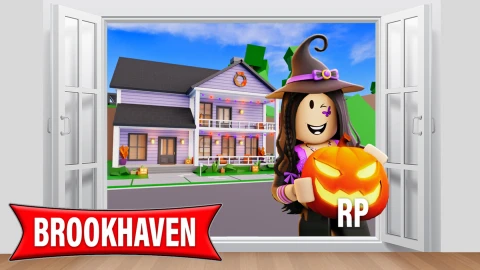
Brookhaven RP
2 days ago · Updated
Reviewed by QueueHeroPaid revieweron How review works
Candy ESP is a Brookhaven RP script for Roblox, uploaded to ScriptBlox on Oct 24, 2026. Reviewed by a person on Oct 26, 2026.
Does it work?
No reports yetNo reports yet. Tried it? Be the first to say.
Also noticed:
Description
You can see where the sweets are—or at least, I think so.
--[[
==========================================
                                               --Candy ESP--      ==========================================
]]

--[[
	WARNING: Heads up! This script has not been verified by ScriptBlox. Use at your own risk!
]]
local folder = workspace.CandyCornHunt.Week1
local iconID = "rbxassetid://84279202219901"
local orange = Color3.fromRGB(255, 140, 0)

for _, candy in ipairs(folder:GetChildren()) do
    local highlight = candy:FindFirstChildWhichIsA("Highlight", true)
    local part = candy:IsA("BasePart") and candy or candy:FindFirstChildWhichIsA("BasePart", true)

    if highlight and part and not part:FindFirstChild("CandyMapPing") then
        highlight.FillColor = orange
        highlight.OutlineColor = orange
        highlight.DepthMode = Enum.HighlightDepthMode.AlwaysOnTop

        local iconGui = Instance.new("BillboardGui")
        iconGui.Name = "CandyMapPing"
        iconGui.Adornee = part
        iconGui.Size = UDim2.fromOffset(25, 25)
        iconGui.StudsOffsetWorldSpace = Vector3.new(0, 3, 0)
        iconGui.AlwaysOnTop = true
        iconGui.Enabled = highlight.Enabled
        iconGui.Parent = part

        local iconImage = Instance.new("ImageLabel")
        iconImage.Size = UDim2.fromScale(1, 1)
        iconImage.BackgroundTransparency = 1
        iconImage.Image = iconID
        iconImage.ImageColor3 = orange
        iconImage.Parent = iconGui

        highlight:GetPropertyChangedSignal("Enabled"):Connect(function()
            iconGui.Enabled = highlight.Enabled
        end)
Comments
0Log in to join the conversation. Login
No comments yet. Be the first!