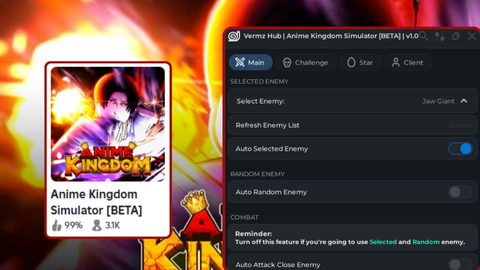
Op keyless gui is an Anime Kingdom Simulator script for Roblox, uploaded to ScriptBlox on Jul 10, 2025.
Does it work?
No reports yetNo reports yet. Tried it? Be the first to say.
Description
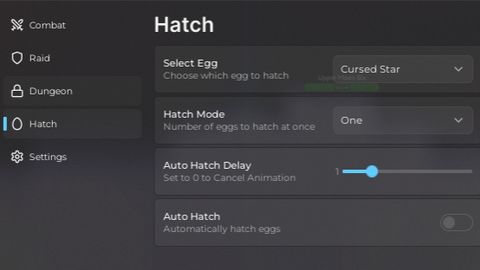
Raid Features: Raid Map Dropdown: Select raid map from a dynamic list. Refresh Raid Map List: Button to refresh available raid maps. Private Raid Toggle: Enable or disable private raids. Auto Raid Toggle: Automatically create and start raids. Raid Status Display: Shows current raid status (waiting, creating, attacking, cooldown). Auto Raid Monster Detection: Detects and attacks raid monsters (small mobs and bosses). Auto Raid Attack Logic: Moves behind monsters and attacks them, respecting shields. Raid Cooldown Timer: Shows cooldown time between raids. Auto Teleport After Raid: Teleports player after raid ends if enabled. Dungeon Features: Dungeon Difficulty Dropdown: Select difficulty level (Easy, Medium, Hard, etc.). Leave Dungeon Wave Input: Choose which wave to leave dungeon. Dungeon Map Dropdown: Select map to teleport to after leaving dungeon. Refresh Dungeon Map List: Refresh the list of dungeon maps. Private Dungeon Toggle: Enable or disable private dungeon instances. Auto Dungeon Toggle: Automatically create and start dungeon runs. Dungeon Status Display: Shows current dungeon status (waiting, attacking, cooldown). Auto Dungeon Monster Detection: Detects and attacks dungeon monsters by HP. Dungeon Attack Logic: Moves behind monsters and attacks them, respecting shields. Dungeon Wave Monitoring: Monitors current wave and triggers leave when wave limit reached. Dungeon Teleport on Leave: Teleports player to selected map after leaving dungeon. Dungeon Cooldown Timer: Shows cooldown time between dungeon runs. Pause/Resume Other Systems: Pauses other scripts during raid/dungeon to avoid conflicts. Tools - Options: AntiAFK: Prevents automatic kick due to inactivity by simulating user input. White Screen Enabled: Disables 3D rendering for performance or stealth. White Screen Disabled: Re-enables 3D rendering. Low VFX Mode: Minimizes visual effects by altering terrain, materials, and disabling particle effects. Boost FPS: Disables textures, visual effects, particles, skies, and sets quality low to improve FPS. Tools - Addons: Copy Position: Copies player’s current position to clipboard. Rejoin: Teleports player to current place to rejoin server. Hop Server: Finds and teleports player to another public server with open slots. Copy JobID: Copies current game job (server) ID to clipboard. Join JobID: Teleports player to a server by inputting a JobID. Close UI: Closes and destroys the script's GUI. Utility / Miscellaneous: Save & Load Configs: Uses SaveManager & InterfaceManager to save/load user settings. Notification on Script Load: Shows notification when script finishes loading. Multiple Spawned Coroutines: For raid/dungeon automation loops and cooldown updates. Safe Remote Calls: Uses pcall for server event firing to avoid crashes.
loadstring(game:HttpGet("https://pastebin.com/raw/E8zB2CgU"))()