
64.4k Views
2.7k Executions
Admin Panel V2
99 Nights in the Forest
OnlyThePowerPublished 10
1 year ago
Please login to perform these actions:Admin Panel V2 is a 99 Nights in the Forest script for Roblox, uploaded to ScriptBlox on Aug 31, 2025.
Does it work?
No reports yetNo reports yet. Tried it? Be the first to say.
Also noticed:
Description
Works for all games!
-- Admin Panel V2
local Players = game:GetService("Players")
local TweenService = game:GetService("TweenService")
local LocalPlayer = Players.LocalPlayer

local ScreenGui = Instance.new("ScreenGui")
ScreenGui.Name = "AdminPanelV2"
ScreenGui.Parent = LocalPlayer:WaitForChild("PlayerGui")
ScreenGui.ResetOnSpawn = false

local MainFrame = Instance.new("Frame")
MainFrame.Parent = ScreenGui
MainFrame.Size = UDim2.new(0, 320, 0, 380)
MainFrame.Position = UDim2.new(0.5, -160, 0.5, -190)
MainFrame.BackgroundColor3 = Color3.fromRGB(30, 30, 30)
MainFrame.BorderSizePixel = 0
MainFrame.Active = true
MainFrame.Draggable = true
Instance.new("UICorner", MainFrame).CornerRadius = UDim.new(0, 12)

local Header = Instance.new("Frame", MainFrame)
Header.Size = UDim2.new(1, 0, 0, 40)
Header.BackgroundColor3 = Color3.fromRGB(50, 50, 50)
Instance.new("UICorner", Header).CornerRadius = UDim.new(0, 12)

local Title = Instance.new("TextLabel", Header)
Title.Text = "Admin Panel V2"
Title.Font = Enum.Font.GothamBold
Title.TextSize = 18
Title.TextColor3 = Color3.new(1,1,1)
Title.Size = UDim2.new(1, -80, 1, 0)
Title.Position = UDim2.new(0, 10, 0, 0)
Title.BackgroundTransparency = 1
Title.TextXAlignment = Enum.TextXAlignment.Left

local CloseBtn = Instance.new("TextButton", Header)
CloseBtn.Size = UDim2.new(0, 30, 0, 30)
CloseBtn.Position = UDim2.new(1, -35, 0.1, 0)
CloseBtn.BackgroundColor3 = Color3.fromRGB(220,60,60)
CloseBtn.Text = "X"


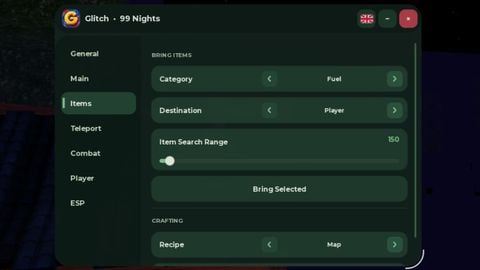
Godmode or forcefield don't work
nice
How do activate
Hi
It's fake
How to apply admin commands
Bro bro bro bro bro bro bro is is is is is is is is is is is is is ban ban ban me