103 Views
568 Executions
I only tested the top 5 options
+1 Pickaxe Swing Escape
3 months ago
Please login to perform these actions:I only tested the top 5 options is a +1 Pickaxe Swing Escape script for Roblox, uploaded to ScriptBlox on Aug 6, 2026.
Does it work?
No reports yetNo reports yet. Tried it? Be the first to say.
Also noticed:
Description
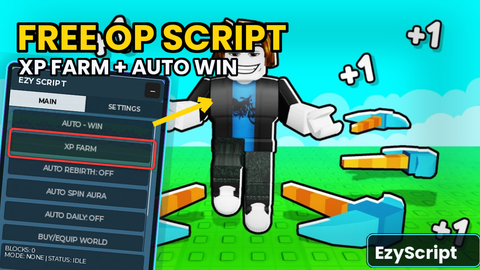
I only tested the top 5 options below which do work.....made with AI Power AuraSwingBoost MultiplierPass TotalPickaxes WalkSpeed
local ReplicatedStorage = game:GetService("ReplicatedStorage")
local Players = game:GetService("Players")
local CollectionService = game:GetService("CollectionService")
local TweenService = game:GetService("TweenService")
local LocalPlayer = Players.LocalPlayer
local Remotes = ReplicatedStorage:WaitForChild("Remotes")
local WorldConfig = require(ReplicatedStorage.Modules.WorldConfig)

local SG = Instance.new("ScreenGui")
SG.Name = "PickaxeTestGUI"
SG.ResetOnSpawn = false
SG.Parent = LocalPlayer:WaitForChild("PlayerGui")

local Main = Instance.new("Frame")
Main.Size = UDim2.fromOffset(460, 640)
Main.Position = UDim2.new(0, 20, 0, 120)
Main.BackgroundColor3 = Color3.fromRGB(24, 24, 34)
Main.BackgroundTransparency = 0.08
Main.BorderSizePixel = 0
Main.Parent = SG
do
    local c = Instance.new("UICorner"); c.CornerRadius = UDim.new(0, 10); c.Parent = Main
    local s = Instance.new("UIStroke"); s.Color = Color3.fromRGB(255, 170, 60); s.Thickness = 1.5; s.Parent = Main
end

do
    local drag = Instance.new("TextLabel")
    drag.Size = UDim2.new(1, 0, 0, 28)
    drag.BackgroundColor3 = Color3.fromRGB(40, 40, 55)
    drag.Text = "Pickaxe Swing Test Lab"
    drag.Font = Enum.Font.GothamBold
    drag.TextSize = 14
    drag.TextColor3 = Color3.new(1, 1, 1)
    drag.Parent = Main
    local c = Instance.new("UICorner"); c.CornerRadius = UDim.new(0, 10); c.Parent = drag
    local dragging, off = false
    drag.InputBegan:Connect(function(i)
        if i.UserInputType == Enum.UserInputType.MouseButton1 then
            dragging = true
            local p = i.Position
Comments
0Log in to join the conversation. Login
No comments yet. Be the first!