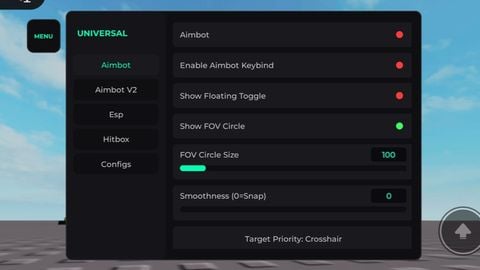

Description
Works every game This is again a re-upload, Mods definitely are sold in this site, once again big loss of 37k views and 20 likes. 1: Aimbot (V1) * Aimbot Toggle: On/Off the aimbot * Keybind Mode: For pc users * Show Floating Toggle: A Small ui for Aimbot Toggle which is draggable * Show FOV Circle: Hide/Show circle * FOV Circle Size: Circle Size Modifier * Smoothness Slider: Change How hard it will lock * Target Priority: Switch between Fov aimbot or distance aimbot (Locks onto nearest player) * Max Auto-Aim Distance: For Distance Aimbot, modifies the range in studs of nearest player has to be to lock on * Target Part Selection: Select a specefic part to lock on * Team Check: Doesnt lock on player in same team * Wall Check: Checks if player is behind something or not then when player is visible then it locks on * Enable Specific Team Aim: Searches ur game for all teams then u can select which u teams u want to lock on or not 2: Aimbot V2 (Smart Scan) * What it does: It Scans ur character and finds Targetable parts, many games customize their character models so use this if normal aimbot doesn't work. * Aimbot V2 Toggle: Same as V1 * Enable Keybind V2: Same as V1 * Show Floating Toggle: Same as V1 * Show FOV Circle V2: Same as V1 * FOV Circle Size V2: Same as V1 * Smoothness V2: Same as V1 * Target Priority V2: Same as V1 * Max Distance V2: Same as V1 * Team Check V2: Same as V1 * Wall Check V2: Same as V1 * Manual Character Scanner: Scans ur entire character model * Enable Specific Team Aim V2: Same as V1 3: ESP * Tracers: Displays Lines on ur screen which shows the players * Names: Shows players names * Chams: Highlights players * Distance (Studs): Check how far is the player * Team Check: Doesn't esp ur own team members * Max ESP Range: Range modifier for maximum in which players will be rendered by esp (in studs) * Use Team Colors: Modifies all esp features by the player team color * Team Toggles Menu: Similar to Team Specific Aimbot but in esp 4: Hitbox * Toggle Hitbox: Turn On/Off the Hitbox * Hitbox Size: Change the size of Hitbox * Hitbox Transparency: Changes transparency of Hitbox * Team Check: Does affect ur own teammates Hitbox * Enable Team Specific: Same As Team Toggle Menu or team specefic aimbot in esp and aimbot Section 5: Configs * Remove Autoload Config: Remove Config as autoloadr * Enter Config Name: Modify config name * Save Config / Overwrite Selected: Overwrite current config with ur currently active features * Load Config: Load the config (Yeah that's it) * Set As Autoload: Set ur config autoload, will automatically load ur config after u execute the script. * Delete Config: Delete ur config * Config List & Renamer Tool: Modify any Config name.



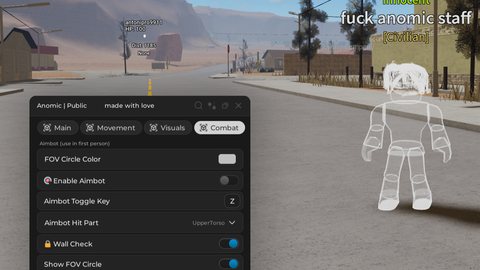
![[🌴] Welcome to Bloxburg](https://tr.rbxcdn.com/180DAY-00f4f4b0a3a7537f006bd5a57178c58a/480/270/Image/Png/noFilter)
![[EVENT] Steal Time From Others](https://tr.rbxcdn.com/180DAY-973d92f46e01998ba342c5ccfc3b6716/480/270/Image/Png/noFilter)
![[⭐] +1 Followers Per Click](https://tr.rbxcdn.com/180DAY-6484a5497a8b4cef412ff941ce11e438/480/270/Image/Png/noFilter)
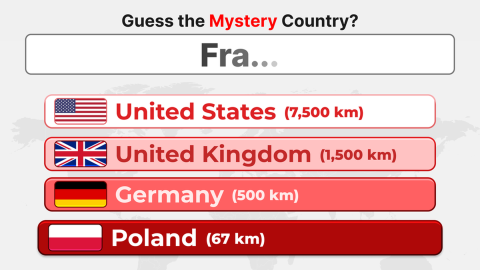
![[🎮] Guess My Game](https://tr.rbxcdn.com/180DAY-3419bc4bb2ace3fcd3ba01330f45c37b/480/270/Image/Png/noFilter)
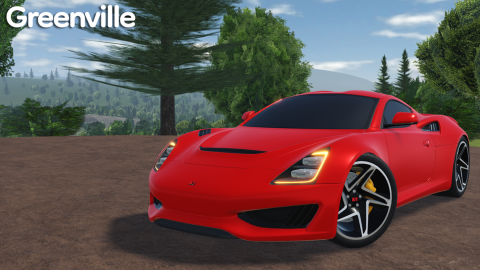
![[FPS] One Tap](https://tr.rbxcdn.com/180DAY-a3b7486513c2f5f78c14a24efd5d6c35/480/270/Image/Png/noFilter)